
 Workplace Management
24 September 2026
Best Workplace Management Software in 2026: 6 Tools Compared
Compare six workplace management platforms. See what each is suited for and how to choose the right fit in 2026.

Deesha
|
4 Min Read
Read More

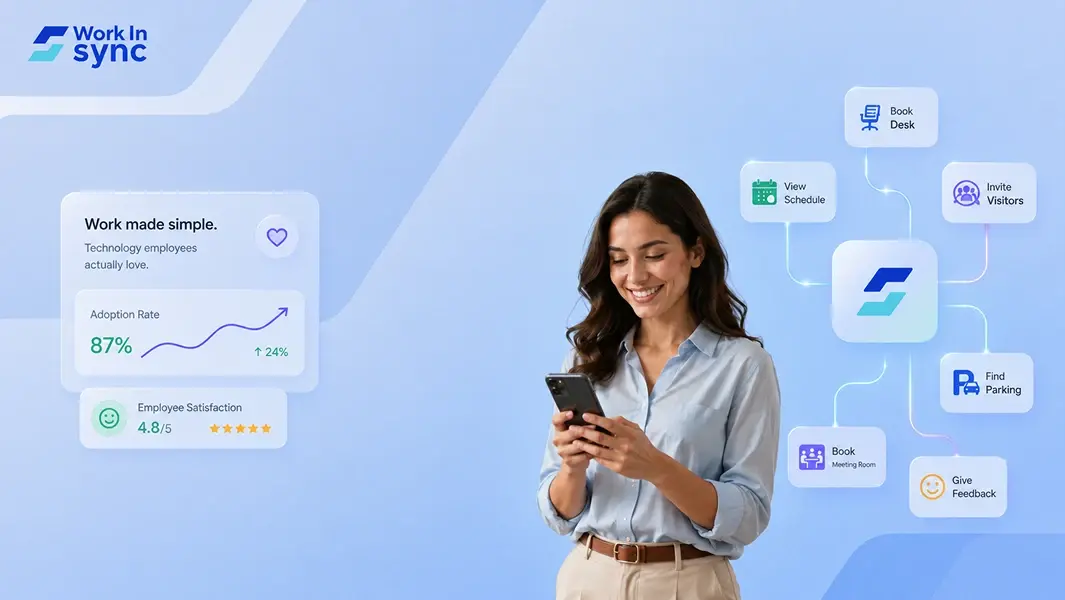
Employees don’t just ignore the ‘official’ tools; they actively resent them. We’ve all been there. As an employee, I’d only want to use a tool that helps ‘me’ in some way. And if I see there is nothing in it for me, but perhaps only for the organisation, I’d look for ways to avoid using it. It’s a common problem, when the workplace technology creates more roadblocks than pathways, we struggle with adoption. But, fortunately it is changing. As facility managers are moving towards being a workplace experience manager, they are moving from traditional IWMS to modern workplace experience tools like WorkInSync.
The number one reason of low adoption is digital friction, the unnecessary effort employees must exert to use data or technology for work. It’s the extra clicks, the confusing navigation, and the “digital noise” that gets in the way of focusing on the right tasks.
So, how do we flip the script? How do we move from a workplace where tech is a burden to one where employees genuinely love the tools they use? The answer lies in choosing technology that prioritizes the Digital Employee Experience (DEX), making work life simpler, not more complex.
Here is how WorkInSync addresses the biggest concerns about workplace technology by reducing friction and putting the employee experience first.
The Friction: One of the biggest barriers to adoption is app overload. Employees are already toggling between dozens of tabs. Asking them to learn yet another standalone system for desk booking or hybrid scheduling is a recipe for resistance.
The WorkInSync Solution:
We believe the best technology is the kind that fits into your existing flow of work. That’s why WorkInSync integrates seamlessly with the tools your team already uses, like Access control (badge swiping), Microsoft Teams, Outlook, and Google Calendar.
No context switching: Employees can book a desk or find a meeting room directly within MS Teams without ever leaving the chat window or from Outlook Add-in.
Calendar Sync: When you book meeting room, it automatically syncs with your Outlook or Google Calendar. No double entry, no confusion.
Prompts for Visitors: Automatically identifies Visitors when booking a room and automatically triggers Visitor management workflow for the identified visitors. Just the right amount of digital dexterity expected by the modern worker.
The Friction: If booking a meeting room takes ten clicks and a complex form, employees will simply ghost the process and squat in empty rooms. Complexity kills compliance.
The WorkInSync Solution:
We designed our platform with human-centric usability in mind.
Interactive Floor Plans: Instead of scrolling through lists of room names, employees use visual, interactive maps of the office. They can see exactly where a desk is located, who is sitting nearby, and what amenities are available, all at a glance.
Book Nearby: Need a spot quickly? Our intuitive interface allows users to find available desks near specific teammates instantly.
AI Based recommendations: WorkInSync recommends the best room for you based on your booking history, availability, participants etc.
The Friction: Rigid tools that force employees into a “one-size-fits-all” box create frustration. In a hybrid world, employees need autonomy, not rigid mandates enforced by software.
The WorkInSync Solution:
WorkInSync empowers employees with choice and flexibility, which are critical for high adoption.
Team-Based Scheduling: Employees can easily view their team’s schedule to decide when to come in. The “Find Your Colleague” feature turns the office visit into a meaningful collaborative experience rather than a lonely commute.
Smart Suggestions: Employees expect their workplace to be a smart office. The WorkInSync system learns preferences over time, suggesting the best desks or meeting times, reducing the cognitive load required to plan the work week.
The Friction: When workplace tech feels like a surveillance tool rather than a utility, trust erodes.
The WorkInSync Solution:
We focus on transparency and utility for the user, not just data for the admin.
The primary goal of our features, like Wayfinding, Parking, and Meal booking, is to remove the hassle from the employee’s day.
By solving genuine pain points (like ensuring you have a parking spot before you drive in), the technology becomes a perk rather than a tracking device.
Getting employees to love workplace tech isn’t about gamification or flashy interfaces; it’s about removing the “unnecessary effort” that slows them down. By reducing digital friction through seamless integrations, visual simplicity, and autonomy, WorkInSync turns workplace technology into an enabler of great work, rather than an obstacle to it.
 Workplace Management
24 September 2026
Compare six workplace management platforms. See what each is suited for and how to choose the right fit in 2026.
Deesha
|
4 Min Read
Read More
 Announcement
13 August 2026
WorkInSync has been recognized by Info-Tech Research Group as a Champion in the 2026 Data Quadrant for Space Management, ranking #2, and as a Champion in the Emotional Footprint, ranking #2. Both awards are published on SoftwareReviews, Info-Tech's ratings platform, where rankings are built entirely from user feedback.

Sai Riddi
|
2 Min Read
Read More
 Desk Booking Software
5 June 2026
Let’s not pretend otherwise. Somewhere in your organization, a well-meaning IT or facilities team rolled out a desk booking system. There was a demo. Someone said “seamless.” There may have been a slide with the word “frictionless” on it. Leadership nodded. Procurement signed off. And then employees quietly went back to texting each other on […]
Ujjwal Trivedi
|
6 Min Read
Read More