
 Workplace Management
24 September 2026
Best Workplace Management Software in 2026: 6 Tools Compared
Compare six workplace management platforms. See what each is suited for and how to choose the right fit in 2026.

Deesha
|
4 Min Read
Read More

Key Takeaways
Desk booking is vital for hybrid workplaces, enabling flexibility, space efficiency, and compliance with safety norms.
Choose a system that supports both hoteling (pre-booking) and hot-desking (first-come-first-serve) to increase flexibility.
A mature product should offer both web and mobile access to allow employees to book from anywhere, anytime.
Neighborhood discovery helps employees pick desks while maintaining safe distances using a visual floor plan.
Easy integration with existing tools and minimal IT effort is a must for smoother setup and lower maintenance.
Prioritize security features like enterprise-grade encryption, data privacy compliance, and SSO capabilities.
Smart systems handle no-shows, limit bookings to prevent crowding, and support staggered visits, true automation matters.
Look beyond the upfront cost factor in upgrades, maintenance, and technical support to calculate true ROI.
Avoid overreaching solutions that track employees or complicate onboarding, stick to space optimization goals.
Opt for modular software that scales with your business and supports booking beyond desks (like rooms or devices).
User-friendliness is key; software should be intuitive enough to use without extensive training or tech dependency.
Choosing a desk booking software takes time and effort. As an IT Manager, you would have quite a few things on your plate already. So, we decided to make shopping easy for you with a ready reckoner checklist highlighted in this blog.
Are you planning to reopen your office space soon? It is not a hidden fact that offices are going to be very different. Social distancing and other health safety regulations will alter the way a physical office space works.
For starters, you can’t have all your employees back working together. Therefore, adopting the hybrid model is the only choice. Desk booking will be at the heart of this new hybrid workplace.
It primarily allows employees to find and book desks. For managers, it is all about space utilization.
We have put together a list of features that an IT Manager should look for when investing in a desk booking software.
Also Read: What is a desk booking software?
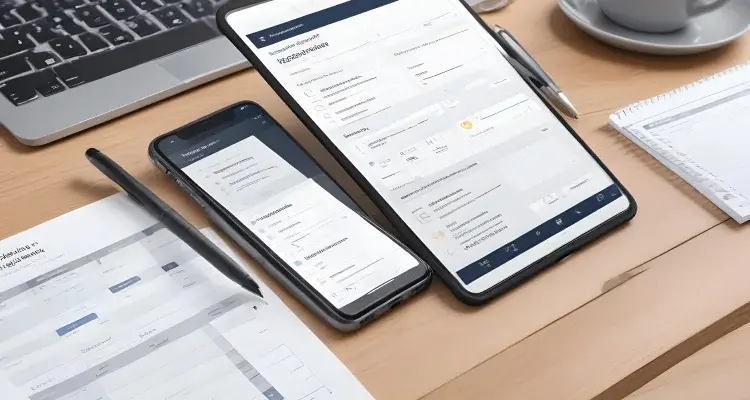
A desk booking system must have a few essentials regardless of how many feel-good features it is marketed with. Here we list the basic features that you must look for:
Hoteling and hot-desking are two different concepts. While the former allows advance booking, the latter makes desks available on a first-come-first-serve basis. Being equipped with both features provides greater flexibility and requires the least manual intervention. You wouldn’t want to have a dedicated resource to manage what is meant to be an automated system.
Employees should be able to book spaces from any location, any time, for the desk booking system to be truly useful. Having web and mobile app versions makes it possible. The availability of multiple interpretations is also an indicator of product maturity – which translates into lesser problems.
A desk booking software should help employees book seats maintaining a safe distance from their colleagues. It is necessary to know who is seated next to the desk they wish to book.
Without a comprehensive floor plan, productivity might take a hit. It might also lead to tech adoption problems, and employees may end up circumventing the system.
If the solution you purchase doesn’t integrate with your current systems, it is of little use. If it takes some effort to integrate, you must ensure it’s minimal.
Anyone with experience in IT management knows how difficult it could get to make two systems work together if one of them doesn’t support it. You might not want to buy software that is difficult to integrate with your current one for the same reason. Easy integration helps you save time during implementation and post-implementation maintenance too.
Bonus Read: WorkInSync is now on MS Teams
A desk booking system contains employees’ personal information and real-time utilization data. Therefore, the solution you pick should have enterprise-grade encryption and must comply with privacy standards. If it provides SSO support, then it’s all the better.
Your desk booking solution must be intelligent to handle exceptions like no-shows, enable staggered visit times, predict overcrowding, and stop bookings when required. Without this level of automation, you could end up questioning yourself on the purchase. What good is automation if it needs constant human intervention?
When you look for a cost of a solution, look beyond the license or subscription cost. Make sure you factor in the implementation, upgrading, and maintenance costs.
A solution that requires constant technical support for integration and upgrades could end up costing significantly more money in the long run. At times, a higher upfront cost may be a cheaper option. Hence, spending some time on due diligence could save long-term expenses.

Apart from the other features, here are other points that would serve you well:
It could be tempting to book software that does more than desk booking. However, you must exercise caution to ensure that you do not move into areas that lead to discomfort or delay in adoption. For instance, few solutions cross into the territories of employee tracking. It might perhaps make people hesitant to use it.
Businesses are more dynamic than ever. You might register sudden growth or may pivot into a new model. In situations like these, you would be thankful if your solution adapts to the changing business reality.
If you are using software for desk booking, you would want to extend it to rooms, projectors, scanners, or any other piece of equipment that various teams share among themselves. Check with your vendor if the solution offers such flexibility.
Often a great tool doesn’t find a large number of users due to its complexity. It inadvertently incentivizes people to look away and find simple ways of working. So, user-friendliness is one of the critical success factors in a desk booking software’s implementation. Choose one that requires minimal training and doesn’t break if employees try to experiment and learn.
It is now a fact that flexible workplaces are here to stay. So, any investment you make towards it is a long-term investment. A desk booking software is an indispensable component of the new workplace you are building.
As an IT manager tasked with finding desk hoteling software, you must find a feasible solution. Armed with this checklist, you should be able to find a suitable solution faster.
Stay tuned to know more about hybrid work and its software that makes a seamless transition possible.
 Workplace Management
24 September 2026
Compare six workplace management platforms. See what each is suited for and how to choose the right fit in 2026.
Deesha
|
4 Min Read
Read More
 Announcement
13 August 2026
WorkInSync has been recognized by Info-Tech Research Group as a Champion in the 2026 Data Quadrant for Space Management, ranking #2, and as a Champion in the Emotional Footprint, ranking #2. Both awards are published on SoftwareReviews, Info-Tech's ratings platform, where rankings are built entirely from user feedback.

Sai Riddi
|
2 Min Read
Read More
 Desk Booking Software
5 June 2026
Let’s not pretend otherwise. Somewhere in your organization, a well-meaning IT or facilities team rolled out a desk booking system. There was a demo. Someone said “seamless.” There may have been a slide with the word “frictionless” on it. Leadership nodded. Procurement signed off. And then employees quietly went back to texting each other on […]

Ujjwal Trivedi
|
6 Min Read
Read More