
 Workplace Management
24 September 2026
Best Workplace Management Software in 2026: 6 Tools Compared
Compare six workplace management platforms. See what each is suited for and how to choose the right fit in 2026.

Deesha
|
4 Min Read
Read More

Key Takeaways
Key challenges include maintaining team cohesion, ensuring equity between remote and in-office employees, and managing fluctuating space needs.
Tech fatigue, communication gaps, and unclear expectations can lead to disengagement.
Facilities and HR leaders must align on tools and policies to support flexible schedules and mental well-being.
A McKinsey report found that 41% of employees cite lack of connection as a major drawback in hybrid environments — highlighting the need for intentional collaboration frameworks.
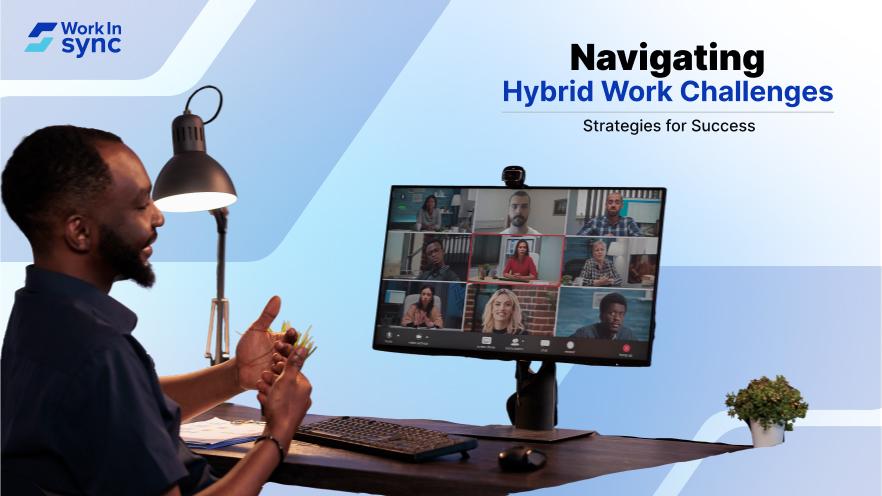
The rise of hybrid work has changed how people approach their jobs. People who work a mix of in-office and remote hours face unique challenges. Understanding these challenges is crucial for maintaining productivity and engagement in a hybrid environment.
To thrive, you need practical solutions that tackle everyday issues like communication and collaboration. The right technology can support your workspace management and enhance employee engagement, making it easier for everyone to contribute effectively, no matter where they are.
By focusing on strategies that work for your team, you can create a seamless hybrid work experience. This blog post will guide you through the challenges and solutions that will help you successfully navigate the future of work.
Key Takeaways
Hybrid work requires new strategies for communication and collaboration.
Technology plays a vital role in managing hybrid workspaces.
Addressing employee needs boosts engagement and productivity in hybrid settings.
Hybrid work is a flexible work model that combines in-office and remote work. This approach lets you and your colleagues choose where and how you work best. Employees often alternate between the office and their homes in a hybrid work environment. This flexibility can enhance productivity and job satisfaction. Embracing a hybrid workplace model can also lead to better employee engagement and a healthier work-life balance.
Hybrid work models blend remote and in-office setups, offering flexibility while requiring clear communication and the right tools. Success depends on structured policies, effective collaboration, and workspace management to enhance productivity and work-life balance. There are two main kinds of hybrid work models.
Office-First Hybrid: You work mainly in the office but have the option for remote days.
Remote-First Hybrid: You primarily work from home, with occasional office visits.
Hybrid teams often include a mix of remote workers and office workers. This requires good communication tools and clear policies to keep everyone connected. Effective collaboration is essential for the success of a hybrid workplace. Technology can enhance teamwork regardless of where team members are located.
Flexible working hours and locations can significantly benefit knowledge workers. A structured hybrid work schedule allows for various productivity styles. An effective space management software is essential for making hybrid work effective. It helps you navigate shared office spaces and ensures resources are available when needed.

Navigating a hybrid work environment comes with a set of specific challenges. You need to address issues related to communication, collaboration, productivity, engagement, and the necessary technology. Understanding these challenges will help improve your team’s work experience and outcomes.
Communication can often suffer in a hybrid work model. With some team members working remotely while others are in the office, there might be gaps in information sharing. Misunderstandings can arise without face-to-face interactions, leading to confusion.
It is essential to use multiple platforms to improve communication. Tools such as video conferencing, instant messaging, and emails can help bridge the gap. Encourage regular check-ins to ensure everyone is on the same page, and utilize project management software for transparent discussions.
Collaboration is crucial for team success but can be challenging in a hybrid setting. Different work locations may reduce spontaneous interactions, which is key to innovation and problem-solving. This disconnect can decrease your team’s overall productivity and job satisfaction.
Fostering a collaborative environment requires intentionality. To keep ideas flowing, schedule regular team meetings and brainstorming sessions. Employees can also use collaboration tools like shared documents or virtual whiteboards to create a space where everyone can contribute, regardless of location.
Balancing productivity and accountability in a hybrid setup can be difficult. Some employees struggle to manage their time effectively while working remotely, and others may feel the pressure of constant connectivity, which can lead to burnout.
To enhance productivity, set clear expectations for work outcomes. Encourage your team to establish a routine that supports their work-life balance. Implement performance metrics focusing on results rather than hours worked, allowing for more flexibility while holding team members accountable.
Keeping employees engaged in a hybrid environment can be challenging. Remote work can lead to feelings of isolation, which can impact mental health and the overall employee experience. Engagement levels can drop if employees feel disconnected from the company culture.
To enhance engagement, encourage team-building activities that can happen virtually or in person. Regularly seek employee feedback to understand their needs. Ensure that mental health resources are accessible and promote a culture that values well-being, giving employees a sense of belonging.
Effective technology is vital for supporting a hybrid work model. If your infrastructure isn’t correctly set up, it can hinder productivity and collaboration. When employees work remotely, you may encounter issues with access to tools or security concerns.
Invest in reliable technology and ensure all team members can access the necessary tools and software. Provide training on how to use these technologies effectively. This will help your team feel more equipped to collaborate and communicate efficiently, resulting in better outcomes.

To effectively address the challenges of a hybrid work environment, you can focus on using technology, fostering company culture, enhancing resource management, and improving employee mobility. Each of these areas plays a crucial role in ensuring productivity and collaboration.
Investing in the right technology is key to overcoming hybrid work challenges. Video conferencing tools like Zoom or Microsoft Teams allow seamless communication between remote and in-office teams. These platforms facilitate real-time collaboration and keep everyone connected. In addition, consider adopting collaboration tools such as Slack or Trello. These applications improve project management and help teams stay organized.
Automation can also enhance efficiency. Software that automates repetitive tasks frees up valuable time for employees. Technology aids communication and supports innovative workflow management solutions, essential in today’s remote landscape.
Implementing a hybrid model requires creating a strong organizational culture. Encourage regular check-ins and team-building activities, whether in-person or virtual. This practice builds rapport and enhances relationships among team members.
Implement ongoing training and education to support employee development. When employees feel invested, their engagement increases, boosting overall productivity. Make sure to celebrate achievements, recognizing both individual and team contributions.
A hybrid-friendly culture thrives on open communication, trust, and inclusivity. Encouraging employees to voice concerns and share feedback fosters a sense of belonging and continuous improvement. Organizations can build a resilient and motivated workforce that adapts seamlessly to the hybrid work environment by prioritizing engagement, recognition, and professional growth.
Optimizing office spaces is essential for a successful hybrid work model. Space management software can help you track usage patterns and allocate desks and meeting rooms more effectively, especially when many employees are in the office.
Additionally, focusing on workplace analytics can exponentially improve your hybrid workplace. Assessing your current resources will help you identify areas for improvement. By effectively managing resources, you can achieve significant cost savings, and contribute positively to the company’s bottom line.
Providing flexible transport options can ease hybrid workers’ commuting challenges. Consider employee commute platforms to offer discounted rates or shuttle services.
Also, remote working options should be promoted whenever possible, allowing employees to work from safe locations. This flexibility can reduce stress related to daily commutes.
Implementing these solutions enhances both safety and convenience, making it easier for your team to adjust to hybrid work while maintaining high levels of productivity and innovation.
WorkInSync provides a wide range of tools designed to enhance productivity in hybrid work environments. Whether managing a team working remotely or in the office, the platform helps ensure seamless coordination and efficiency.
One of its standout features is space management software, which simplifies the process of booking desks and meeting rooms. These features ensure efficient use of office space while reducing overcrowding, creating a well-organized and comfortable workplace.
Employee engagement is crucial in a hybrid model, and WorkInSync helps organizations gather feedback and insights regularly. These insights allow managers to understand team needs better, refine workflows, and make informed decisions to improve productivity.
Additionally, WorkInSync integrates with existing systems, ensuring a smooth transition without adding unnecessary complexity. This compatibility boosts productivity while reducing employees’ learning curves.
Flexible scheduling options accommodate different work styles, helping employees maintain a better work-life balance while meeting business goals.
By utilizing WorkInSync, companies can align their hybrid work strategy with modern workplace demands, leading to a more effective, engaged, and well-coordinated workforce.
 Workplace Management
24 September 2026
Compare six workplace management platforms. See what each is suited for and how to choose the right fit in 2026.
Deesha
|
4 Min Read
Read More
 Announcement
13 August 2026
WorkInSync has been recognized by Info-Tech Research Group as a Champion in the 2026 Data Quadrant for Space Management, ranking #2, and as a Champion in the Emotional Footprint, ranking #2. Both awards are published on SoftwareReviews, Info-Tech's ratings platform, where rankings are built entirely from user feedback.

Sai Riddi
|
2 Min Read
Read More
 Desk Booking Software
5 June 2026
Let’s not pretend otherwise. Somewhere in your organization, a well-meaning IT or facilities team rolled out a desk booking system. There was a demo. Someone said “seamless.” There may have been a slide with the word “frictionless” on it. Leadership nodded. Procurement signed off. And then employees quietly went back to texting each other on […]
Ujjwal Trivedi
|
6 Min Read
Read More