
 Workplace Management
24 September 2026
Best Workplace Management Software in 2026: 6 Tools Compared
Compare six workplace management platforms. See what each is suited for and how to choose the right fit in 2026.

Deesha
|
4 Min Read
Read More
Key Takeaways
Unified platforms centralize workplace management functions while standalone tools offer specialized features for individual tasks.
Organizations must weigh total cost of ownership against the hidden expenses of managing multiple disconnected systems.
The best workplace management tech stack balances your operational complexity, budget constraints, and employee experience goals.
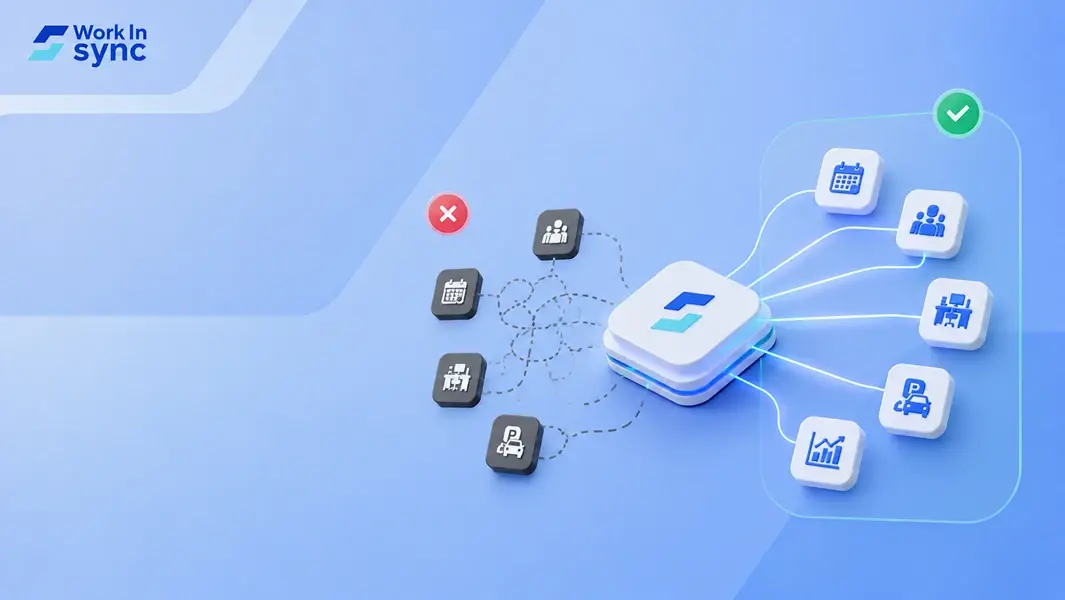
Most organizations manage their workplace operations through a patchwork of separate tools, one for desk booking, another for visitor management, a third for meeting rooms, and several more for communication and analytics. This approach creates data silos, forces employees to toggle between multiple logins, and makes it difficult for workplace managers to see the full picture of office utilization and employee needs.
The core decision facing workplace leaders today is whether to continue managing standalone tools for each function or consolidate operations into a unified workplace management platform that brings everything together.
Choosing between a unified workplace platform and standalone tools depends on your team size, budget, and workflow complexity. Standalone tools excel at specific functions but require switching between multiple interfaces throughout the day.
A unified collaboration suite consolidates desk booking, meeting room management, visitor management, parking management, data & analytics and cafeteria management into one system. This approach reduces context switching and maintains continuity across workspaces. Your team accesses everything through a single application, which simplifies onboarding and reduces security vulnerabilities.
When standalone tools make sense:
You need best-in-class functionality for one specific task
Your team is small with simple workflows
You already have established processes around specific tools
Integration capabilities meet your needs
When a unified platform works better:
Your team exceeds 25-50 employees
You manage hybrid or remote workers
Tool sprawl creates inefficiency
The cost factor extends beyond platform fees. Consider training time, IT management overhead, and integration maintenance when comparing options. Multiple workplace management platforms often create information silos that hinder productivity.
Security and compliance requirements also influence this choice. Managing permissions, data protection, and audit trails becomes exponentially harder across multiple standalone systems. Unified workplace management platforms centralize these controls.
Test both approaches with a small group before committing. Track time spent switching tools, employee satisfaction, and actual collaboration quality to make an informed decision based on real usage patterns.
A unified workplace management platform consolidates multiple digital workplace tools into a single, centralized system. Rather than managing separate applications for desk reservations, meeting room booking, managing visitors, you access all these functions through one integrated solution.
This integration eliminates the need to switch between disconnected digital workplace tools throughout your workday.The core advantage is data connectivity. When your systems operate within a unified workspace, information flows automatically between functions without manual intervention. Your visitor data connects with meeting room booking, while employee feedback integrates with facilities management in real-time.
Modern workplace management platforms like WorkInSync differ from standalone digital workplace software by offering this interconnected approach. Instead of standalone solutions that create silos, you work within digital workspaces where all workplace functions share a common foundation.
Standalone tools typically excel at specific tasks but require manual effort to connect workflows, while unified platforms integrate multiple functions into a single system with shared data and interfaces. The choice between these approaches directly impacts how employees work daily, how facilities teams manage operations, and what insights organizations can extract from their data.
When you use standalone tools, your employees navigate between multiple apps throughout their day. They might check one app for booking desks, another for inviting visitors, and a third for booking their parking slot. This constant switching disrupts focus and reduces efficiency.
Each tool requires separate logins and has different interfaces to learn. Unified platforms provide a single source of truth.The mobile app experience becomes consistent rather than juggling multiple applications with different designs.
Standalone solutions force your facilities teams to manage separate systems for desk booking, room scheduling, visitor management, and space analytics. Each tool has its own admin panel, user database, and settings to configure.
Integration between these systems requires technical resources and ongoing maintenance. When tools fail to communicate properly, your teams manually transfer data or resolve conflicts between systems.
Unified workplace management platforms consolidate these functions under a single administrative interface. Your facilities managers see real-time data across all workplace services without switching contexts. They configure policies once rather than updating multiple systems separately.
User management becomes straightforward when you add or remove employees in one place instead of updating access across numerous standalone tools. Your team handles support requests more efficiently because they work with one knowledge base and consistent processes rather than troubleshooting different platforms.
Standalone tools store data in isolated systems that don’t communicate automatically. You need technical staff to build custom integrations or export data manually for analysis. This fragmented approach makes it difficult to understand how different workplace functions connect.
Creating comprehensive reports requires pulling information from multiple sources and reconciling inconsistent data formats. Your insights remain limited to individual tool capabilities rather than cross-functional patterns.
Unified platforms aggregate data from all workplace activities automatically. Real-time reporting becomes possible when all functions share the same database. Your organization makes informed decisions based on complete information rather than fragmented views from separate systems.
Evaluating workplace software requires matching specific operational needs against vendor capabilities, starting with documented use cases and ending with a strategic choice between integrated platforms and specialized tools. This framework prevents costly misalignment between purchased features and actual workflow requirements.
Start by documenting the specific tasks your teams perform daily. List activities like desk booking, visitor management, parking slot visibility, and cafeteria management needs.
Score each use case by frequency, user count, and business impact. This reveals which capabilities are essential versus optional and helps you avoid paying for features that address edge cases rather than core workflows.
List every tool currently in use, document what each tool costs, who uses it, and which functions it serves.
Identify overlap and gaps. You might discover three different desk booking tools across departments. Calculate total costs including licenses, integrations, and maintenance.
Measure actual usage through login data and license utilization. Tools with adoption rates below 40% signal either poor fit or inadequate training. Track integration points between tools to understand where data flows break down or require manual intervention.
Document pain points from end users. Frequent complaints about switching between systems, or duplicate data entry indicate where consolidation could improve efficiency.
Choose between a unified platform that handles multiple functions or specialized tools for specific needs. This decision depends on your priority matrix from Step 1 and integration complexity from Step 2.
Select a platform approach when:
Current tools have significant feature overlap
Integration costs exceed 20% of software spending
Teams waste time on duplicate data entry
Choose best-of-breed tools when:
Your IT team can manage multiple integrations effectively
Managing multiple standalone tools creates expenses that extend far beyond subscription fees. Organizations face escalating costs from vendor management complexity, security vulnerabilities across disconnected systems, and the ongoing challenge of maintaining integrations between platforms that weren’t designed to work together.
Each standalone tool in your stack requires separate contract negotiations, renewal tracking, and vendor relationship management. Your finance team must process multiple invoices, manage different billing cycles, and reconcile varying payment terms across vendors.
License management becomes exponentially more complex as tools multiply. You need to track user seats across platforms, manage access permissions separately for each system, and audit usage to avoid paying for unused licenses. When employees join, leave, or change roles, IT teams must update access across every individual platform.
Vendor management tasks that scale with each tool:
Contract negotiations and legal reviews
Compliance verification and audit trails
Security assessments and certifications
Service level agreement (SLA) monitoring
Annual renewal negotiations
Price increase evaluations
Maintaining enterprise-grade security across disconnected tools creates substantial hidden costs. Each platform requires separate security assessments, compliance audits, and ongoing monitoring to meet regulatory requirements.
Your IT team must implement and maintain access controls, encryption standards, and audit trails for each system independently. This fragmentation makes it difficult to maintain consistent security policies and increases vulnerability to breaches. When security incidents occur, investigating across multiple systems with different logging standards slows response times.
Integration costs compound rapidly. Custom integrations between tools require development resources, ongoing maintenance, and version control management. APIs change, requiring constant updates to maintain data flow between systems. Data synchronization failures create inconsistencies that impact reporting and analytics accuracy.
Each new tool introduces training costs and productivity losses during adoption periods. Employees must learn different interfaces, workflows, and access methods for every platform in your stack.
Context switching between tools wastes significant time daily. Your team loses minutes switching between applications, remembering different login credentials, and reconciling data across systems. These minutes accumulate into hours of lost productivity each week.
When employees face too many platforms, they develop workarounds or ignore certain tools entirely, undermining the value of your technology investments. Training programs must cover each platform separately, multiplying costs and extending onboarding timelines for new employees.
A strong workplace management solution balances core functionality with intelligent integrations and data-driven insights. The right platform should handle essential operations seamlessly while connecting your existing tools and providing actionable analytics.
Your platform needs to cover desk booking, room scheduling, visitor management, and space utilization tracking as baseline features. These aren’t optional extras, they’re the foundation of effective workplace operations.
Look for employee self-service features that reduce administrative burden. Your team should be able to reserve spaces, check availability, and manage their workspace needs without submitting tickets or waiting for approvals. This directly impacts employee engagement by giving people control over their work environment.
The system should support hybrid work models with flexible booking policies. You need the ability to set different rules for various teams, locations, and resource types. Mid-sized businesses particularly benefit from this flexibility as they scale without adding administrative overhead.
Mobile accessibility matters more than ever. Your employees should access the same features from their phones as they do from desktops, whether they’re booking a desk on their commute or checking meeting room availability between sessions.
Your workplace platform must connect with the tools your organization already uses. Native integrations with Microsoft Teams, Google Workspace, Outlook, and Google Calendar eliminate the need to switch between applications.
Single sign-on capabilities streamline access and improve security. When your workplace system authenticates through your existing identity provider, you reduce password fatigue and maintain consistent access controls.
API availability gives you flexibility for custom integrations. You might need to connect proprietary systems or specialized tools specific to your industry. Open APIs let you build those connections without vendor dependency.
Real-time workplace occupancy data shows you exactly how your spaces are being used. You should see which desks go unused, which meeting rooms stay booked, and where bottlenecks occur in your workplace operations.
Predictive analytics help you plan for future needs. The system should identify patterns in space usage and recommend optimizations based on actual behavior rather than assumptions. This supports workplace transformation by grounding decisions in evidence.
AI-powered recommendations improve the employee experience. Smart systems can suggest optimal desk locations based on team proximity, meeting schedules, and individual preferences. They can also predict peak demand periods and help you balance resource allocation.
Cost optimization insights connect space usage to financial impact. You need visibility into utilization rates, underused areas, and opportunities to consolidate or reconfigure spaces. These metrics prove ROI and guide strategic real estate decisions for internal communication with leadership.
WorkInSync serves as a centralized replacement for fragmented standalone solutions and creates consistency across distributed office locations. Organizations typically deploy it to consolidate desk booking, room scheduling, visitor management, and space analytics that would otherwise require multiple solutoions.
Your organization might currently use one tool for desk booking, another for meeting room management, and a separate standalone tools for cafeteria management and visitor sign-ins. WorkInSync replaces the workplace operations layer of this fragmented stack by unifying desk booking, meeting room management, parking allocation, and visitor management in one platform.
Instead of managing integrations between different platforms, you gain a single source of truth for all workplace coordination.
WorkInSync also integrates with your existing tools like Google Workspace or Outlook and more. You eliminate redundant software licenses and reduce the training burden on your teams who previously navigated multiple interfaces for basic office operations.
When you operate offices in multiple cities or countries, each location often develops its own approach to space management and visitor handling. WorkInSync creates uniform policies and interfaces across all sites while allowing location-specific customization where needed.
Your employees experience identical booking workflows whether they’re in your London, Delhi, or Toronto office. Reception teams follow the same visitor check-in procedures, and facility managers access standardized analytics dashboards regardless of their geography.
You maintain brand consistency in how employees and guests experience your physical spaces while your workplace operations team manages everything from a central administration panel.
Before committing to standalone tools or a unified platform, you need to evaluate how your choice aligns with your organization’s operational requirements and growth trajectory.
Strategic Alignment
Does this solution support your current business model and future scalability needs?
How will your leadership team access and use data from this system?
Can the platform adapt as your organization grows or changes locations?
Integration and Technical Requirements
What existing systems need to connect with your workplace management stack?
Does your IT infrastructure require specific security protocols or SSO capabilities?
How difficult is it to migrate data if you need to switch solutions later?
Operational Capabilities
Which pain points in scheduling, space management, or visitor tracking does this address?
Does the system handle compliance requirements for your industry?
What level of customization is available for your specific workflows?
Resource Considerations
What is the total cost of ownership beyond initial licensing fees?
How much training will your team need to implement and maintain the system?
Does the solution provider help with adequate support during deployment and ongoing use?
Innovation and Product Development
How frequently does the solution provider release updates and new features?
Is there a clear product roadmap that aligns with workplace trends?
Can the system accommodate emerging needs without requiring additional tools?
Your answers to these questions will reveal whether a unified platform or specialized standalone tools better serve your organization’s immediate needs and long-term objectives.
The best workplace platform is the one your team actually opens every day. You can invest in the most feature-rich unified platform or carefully select standalone tools, but neither approach delivers business results if adoption rates remain low.
Your technology decisions should start with user behavior. Ask how many clicks it takes to complete common tasks. Test whether employees can find what they need without consulting documentation. Measure whether the tools reduce friction or add new obstacles to daily workflows.
Key factors that drive employee adoption:
Native integration with tools your team already uses
Intuitive interfaces that require minimal training
Mobile accessibility for remote and hybrid workers
Fast performance that doesn’t slow down productivity
Clear value proposition for individual contributors
Track usage metrics after implementation. Monitor which features employees ignore and which ones become essential. Be prepared to adjust your approach based on real data rather than initial assumptions.
Your workplace technology should disappear into the background, enabling work rather than becoming work itself. The right stack reduces context switching, eliminates redundant data entry, and connects information where people need it. Focus on removing barriers between your employees and the outcomes that matter to your business. WorkInSync is ideal for this, so book a demo today and transform your workplace.
Workplace Management24 September 2026
Compare six workplace management platforms. See what each is suited for and how to choose the right fit in 2026.
Deesha
|
4 Min Read
Read More
 Announcement
13 August 2026
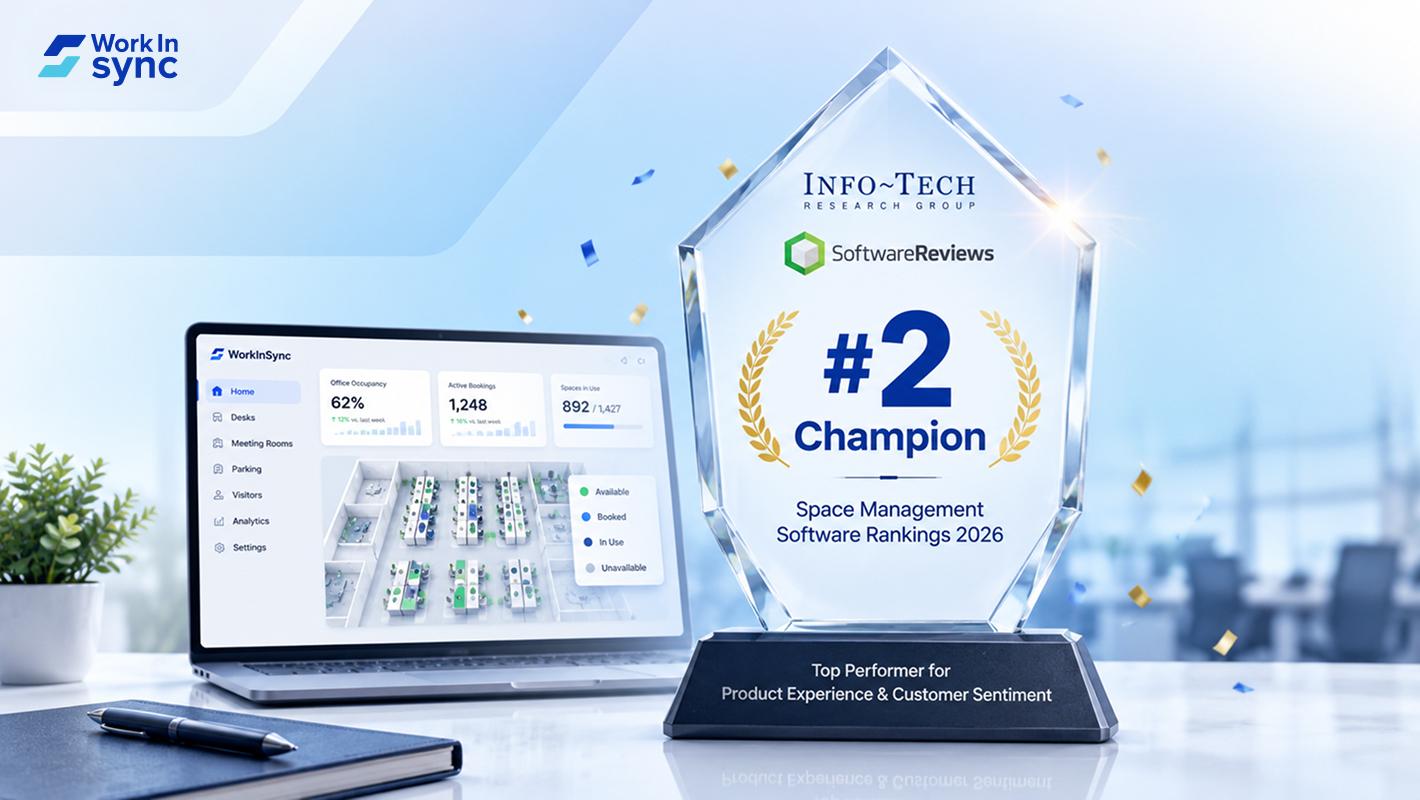
WorkInSync has been recognized by Info-Tech Research Group as a Champion in the 2026 Data Quadrant for Space Management, ranking #2, and as a Champion in the Emotional Footprint, ranking #2. Both awards are published on SoftwareReviews, Info-Tech's ratings platform, where rankings are built entirely from user feedback.

Sai Riddi
|
2 Min Read
Read More
 Desk Booking Software
5 June 2026
Let’s not pretend otherwise. Somewhere in your organization, a well-meaning IT or facilities team rolled out a desk booking system. There was a demo. Someone said “seamless.” There may have been a slide with the word “frictionless” on it. Leadership nodded. Procurement signed off. And then employees quietly went back to texting each other on […]

Ujjwal Trivedi
|
6 Min Read
Read More