
 Workplace Management
24 September 2026
Best Workplace Management Software in 2026: 6 Tools Compared
Compare six workplace management platforms. See what each is suited for and how to choose the right fit in 2026.

Deesha
|
4 Min Read
Read More

Key Takeaways
WorkInSync integrated desk booking and workspace tools into Microsoft Teams to streamline hybrid employee workflows.
Instead of command-based bots, the goal was a natural language experience for seamless employee interactions.
Microsoft LUIS was bypassed since WorkInSync had already trained conversation flows using Google Dialogflow.
Teams bot uses Azure Bot Framework with Java backend and Bot Framework SDK for smooth integration.
Dialogflow handles intent detection and fulfillment, enabling actions like seat booking directly within Teams.
Microsoft Graph API helps resolve user mentions (e.g., “Where is John sitting?”) into WorkInSync context.
WorkinSync is an emerging leader in Flexible workspace management. Given our “Employee First” approach of building products, we wanted to make features such as desk booking available to employees in a smooth workflow, regardless of their location. Microsoft Teams emerged as the central communication tool for remote and hybrid teams for many enterprise clients. So we worked hard on developing a top-quality WorkinSync app for Teams.
Bonus Tip: 5 Features for Hybrid Workplace Tools
A Teams bot is one of the key capabilities we want to leverage to give a Teams user a unique experience. We didn’t want to restrict ourselves to a simple command-based menu for our bot since users expect a basic natural language understanding from ‘bots.’
The default option to power the NLU layer was to go with Microsoft LUIS. However, we had already done the hard work of training a bot for our Google Assistant App. It would make more sense to reuse the same agent for the Microsoft Teams App as we wouldn’t have to create, train, test, and maintain our conversation flows on two different platforms.
This is how the tech team at MoveinSync went about building the bot.
[Disclaimer: This is just a preview to illustrate the plumbing and not the actual application code]
The backend service for our Teams App is written entirely in java. The bot exposed to Microsoft Teams is created using the Azure bot framework. We are using the Bot Framework SDK for Java from Microsoft.
Let’s take an example of a user sending a command such as “Book a seat for me for 9 am tomorrow”. Once the command lands on our backend, we use the Google “Dialogflow client library” for intent detection, as shown below.
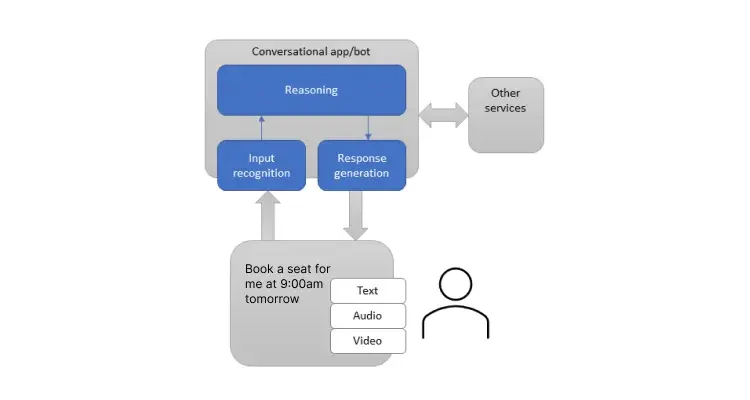
In turn, the intent detection also calls our fulfillment webhook (originally written for the Google Assistant app). So the actual call for ‘Seat booking’ to the internal booking service happens via the Dialogflow fulfillment endpoint.
This is how the final interaction looks like for the end-user.
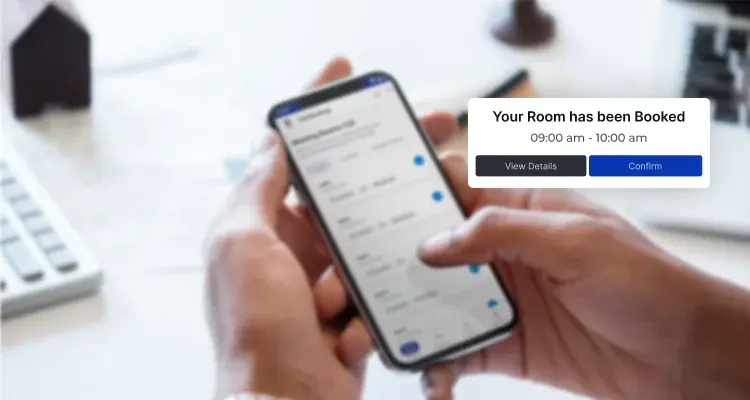
We can also pass additional metadata to the Dialogflow intent detection API, such as the logged-in user’s context ( shown in the example above), or indicate that the request is from ‘Teams backend’ if separate handling is required.
Another popular employee query to our Teams bot is “Where is John doe sitting?”, using the ‘@’ to mention the user.
In this case, we find out the users mentioned before we pass the command to Dialogflow. We use a ‘Microsoft Graphs’ API call to find more details about the user and map the user to the corresponding WorkInSync internal user.
 Workplace Management
24 September 2026
Compare six workplace management platforms. See what each is suited for and how to choose the right fit in 2026.
Deesha
|
4 Min Read
Read More
 Announcement
13 August 2026
WorkInSync has been recognized by Info-Tech Research Group as a Champion in the 2026 Data Quadrant for Space Management, ranking #2, and as a Champion in the Emotional Footprint, ranking #2. Both awards are published on SoftwareReviews, Info-Tech's ratings platform, where rankings are built entirely from user feedback.

Sai Riddi
|
2 Min Read
Read More
 Desk Booking Software
5 June 2026
Let’s not pretend otherwise. Somewhere in your organization, a well-meaning IT or facilities team rolled out a desk booking system. There was a demo. Someone said “seamless.” There may have been a slide with the word “frictionless” on it. Leadership nodded. Procurement signed off. And then employees quietly went back to texting each other on […]

Ujjwal Trivedi
|
6 Min Read
Read More