
 Workplace Management
24 September 2026
Best Workplace Management Software in 2026: 6 Tools Compared
Compare six workplace management platforms. See what each is suited for and how to choose the right fit in 2026.

Deesha
|
4 Min Read
Read More


Key Takeaways
Desk booking software allows employees to reserve workspaces on-demand, supporting flexible seating and space optimization in hybrid offices.
The right solution should offer real-time availability, mobile access, team bookings, and integrations with calendars or access systems.
Organizations using desk booking tools report up to 40% reduction in unused desks and better compliance with occupancy limits.
Features like zoning, team neighborhoods, and analytics support employee collaboration while optimizing footprint.
Selecting the right tool means balancing user experience with scalability, compliance, and data insights.
Desk booking software is an essential component of a hybrid workplace. But how to choose the right desk booking system for your hybrid workplace. This blog explores the criteria you should keep in mind before choosing one.
The ideal post-pandemic workplace means modern organizations must monitor space efficiently. And a robust desk booking software holds the potential to tackle multiple workplace management challenges.
Also Read: What is a Desk Booking Software?
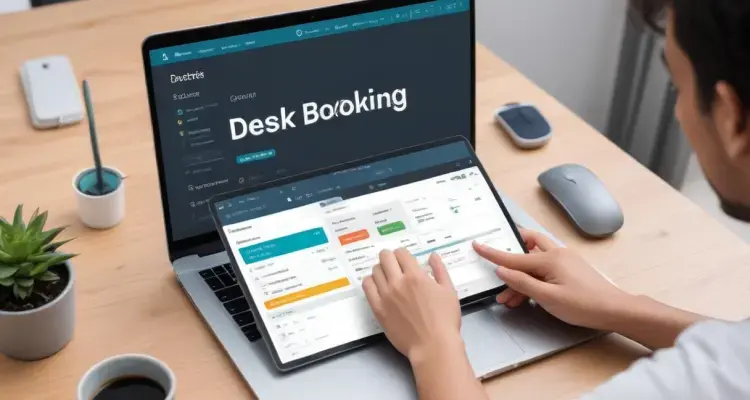
A desk booking system enables employees to book desks for a period. Interactive floor plans allows them to find their team members and sit near them for easier collaboration. The platform makes it easier for facility managers to track and analyze space utilization data. They can also keep shared workspaces sanitized, and ensure employee safety from threatening viral elements.
Here’s an in-depth guide to help you select a desk booking software well suited for your organization.
Hot desking or hoteling equips employees with more flexibility to reserve a workstation that successfully complements their daily and weekly needs. This is especially vital in the modern-day office structure when employees switch between off-site and on-site tasks.
Using desk booking system to enable workers to select their workspace can help customize their on-site experiences.
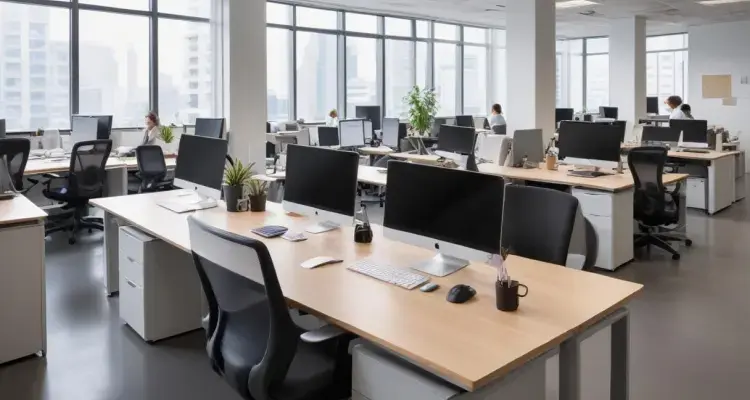
Every organization across the globe have to meet social distancing protocols. This means capacity restrictions.
Using desk booking software, facility managers can comfortably monitor the occupancy rate of desks. They can limit the number of employees in the office.
With desk booking software, companies access a massive data pool while keeping a tab on desks already in use. This way, workplace managers can prevent overcrowding in the office. With the space utilization data, they can get real-time visibility on occupancy.
Desk booking software also helps organizations prepare for busy days.
Unfortunately, social distancing norms can feel too stringent in workspaces, especially when employees return to offices after a long time. Maintaining a healthy workplace management strategy means finding ways to promote appropriate practices and enforce them. This can ensure productivity without damaging employee morale. The right desk booking enables you to do that and more.
Here’s how. A good desking tool will help companies capture, track, and analyze employees’ on-site activities, warranting adherence to all prescribed guidelines. Ultimately, workplace managers can automate the system to send alerts to employees. For instance, if a worker tries to book an out-of-limit desk, the software should prevent the same.
Besides that, facility managers can also deactivate desks that don’t meet the physical distancing protocols. For instance, they can leave a desk or two empty between separate workstations.
Imagine this- an employee walks into the office premises. Their mobile automatically checks them in. It also notifies the rest of the workforce that they are on-site. The app also directs them towards their allocated desk.
A modern desk booking software will ensure that it books a workstation suited to the employees’ requirements.
Besides, when the employee leaves for the day, the system automatically releases their desk for another employee.
In a hybrid workplace, this automated check-in and seat allocation will help facilitate improved space management. Facility managers can use the data- of when a station is occupied or released- to effectively manage on-premise occupancy.
Moreover, this way, organizations can reduce the number of “ghost bookings” where desks appear reserved but empty. Desk booking software must ensure scheduling for both on-site and remote employees.
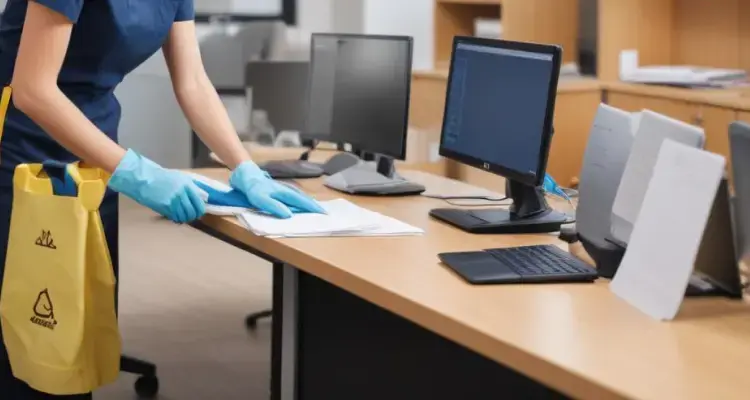
85% of employees say health and safety in the workplace are more important today. That is why it is essential for organizations to guarantee hygiene workplaces.
Organizations can sync up their cleaning operations with automated seat allotment processes with desk booking software management.
For instance, if an employee releases a workstation, the custodial staff will simultaneously receive a notification for cleaning. The designated desk can go offline or appear deactivated for employees until the sanitation team sanitizes it.
Facility managers can easily use connected workplace communication tools to relay information between multiple teams and synchronize operations.
When companies configure desk arrangements by teams or even individuals, it offers a clear idea of how office space is utilized. It, in turn, also unlocks ways to optimize the in-use space. Besides, the desk booking software must offer actionable intelligence on allocating and manipulating spaces across the office premises.
It will also equip companies with insights into what kinds of work setups are in demand today. Whether employees opt for isolated desks, organizations can have the relevant data at their disposal. This way, organizations can convert underused spaces into visitation areas or meeting rooms with specialized facilities for enhanced productivity.
Overall, companies can lower real estate costs with a productive hybrid workplace backed by innovative desking solutions.
Employees will ultimately drive the hybrid workplace revolution, but an organization’s operational success hinges on suitable desk scheduling solutions.
With WorkInSync’s desk booking web and mobile app, empower your employees to reserve workstations and see where their colleagues are seated. Moreover, book-specific sets of desks for teams to improve on-site collaboration while following social distancing protocols.
Check out our suite of desk booking solution today. Subscribe to our blog and stay updated with the latest desk booking software updates.
 Workplace Management
24 September 2026
Compare six workplace management platforms. See what each is suited for and how to choose the right fit in 2026.
Deesha
|
4 Min Read
Read More
 Announcement
13 August 2026
WorkInSync has been recognized by Info-Tech Research Group as a Champion in the 2026 Data Quadrant for Space Management, ranking #2, and as a Champion in the Emotional Footprint, ranking #2. Both awards are published on SoftwareReviews, Info-Tech's ratings platform, where rankings are built entirely from user feedback.

Sai Riddi
|
2 Min Read
Read More
 Desk Booking Software
5 June 2026
Let’s not pretend otherwise. Somewhere in your organization, a well-meaning IT or facilities team rolled out a desk booking system. There was a demo. Someone said “seamless.” There may have been a slide with the word “frictionless” on it. Leadership nodded. Procurement signed off. And then employees quietly went back to texting each other on […]

Ujjwal Trivedi
|
6 Min Read
Read More