
 Workplace Management
24 September 2026
Best Workplace Management Software in 2026: 6 Tools Compared
Compare six workplace management platforms. See what each is suited for and how to choose the right fit in 2026.

Deesha
|
4 Min Read
Read More

Key Takeaways
72.2% of employees support returning to offices in a hybrid setup, making desk booking solutions increasingly essential.
Accessibility means enabling use regardless of role or location, and ensuring employees can navigate the system easily.
Cloud-based desk booking lets employees reserve desks from anywhere, view live availability, and reduces storage and maintenance costs.
Mobile app booking with QR or RFID scanning allows quick, touch-free reservations without relying on public screens.
Decentralized booking access removes manager approvals, letting employees directly book available desks, saving time and reducing bottlenecks.
Training boosts adoption, employees need to understand tangible benefits like faster desk selection and better social distancing compliance.
Facility managers should schedule timely training sessions, plan rollout methods, and set manageable deadlines for adoption.
Use training formats that suit both remote and in-office staff, combining theory, demos, and interactive exercises to aid retention.
WorkInSync’s desk booking integrates with Microsoft Teams, Slack, and Google Assistant for smoother hybrid workplace collaboration.
As offices reopen and hybrid workspaces gain traction, desk booking software seems to be propelled to the spotlight. This blog explores how a desk booking solution can allow organizations manage their hybrid workplace. It also highlights the best ways to make the solution accessible to all.
The world transformed overnight. The onset of the COVID-19 pandemic changed how companies think about workspaces significantly. The spread of the Coronavirus propelled nearly 47% of companies to adapt to remote working full-time to promote employee safety. But with vaccination programs picking up pace worldwide, organizations are slowly calling employees back to the office.
This involves switching to a hybrid workplace system. A global survey reveals that 72.2% of employees were entirely on board with re-joining offices in a hybrid setting.
A desk booking solution is integral to a hybrid workplace. But how to make desk booking accessible for all in a hybrid workplace. Let us decode the buzz.
Also Read: What is a desk booking software?
One can think of accessibility for a desk booking software in two prominent ways:
Ensuring the software can be utilized by employees regardless of the work hierarchy and their location
Making sure all employees can use the desk booking system easily
Here’s an overview of both these measures.
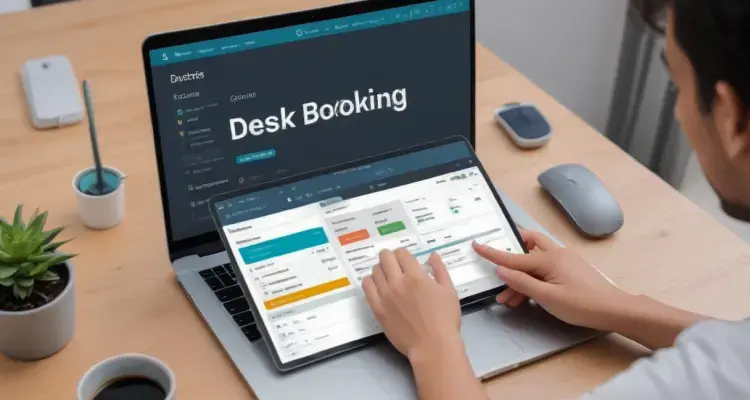
To make sure the company’s desk booking software is accessible, choose a software that comes with easy, interactive features.
A cloud-based desk booking software allows employees to book desks from any location worldwide with a working internet connection. Since utilization data is updated instantly on the cloud, one can also look at the number of available desks immediately. This further eases the hot-desking process. Moreover, cloud-based software reduces the storage space required to save desk booking data significantly, helping the company save costs.
To make remote bookings smoother, choose a desk booking software that comes with a designated mobile app. This eliminates the hassle of running traditional web pages on small mobile screens and makes navigation easy.
Desk booking software mobile apps come with features like QR code scanning and RF-ID scanning. This allows you to book desks without touching a public screen.
Many desk booking software work on centralized models. This means that employees submit a request for booking a space, which is then approved by the manager. This process consumes a lot of time and increases the burden on managers to make decisions.
Instead, using desk booking software with multiple booking access allows employees to book available desks. All without a manager’s approval, saving valuable time.
Facility managers are responsible for making an optimized, functional office space. But they also need to ensure that employees at all levels know how to use the tool is equally important. Hence, upon installing desk booking software in the office, facility managers can provide employees with sufficient training to use them. Here are a few tips for doing this.
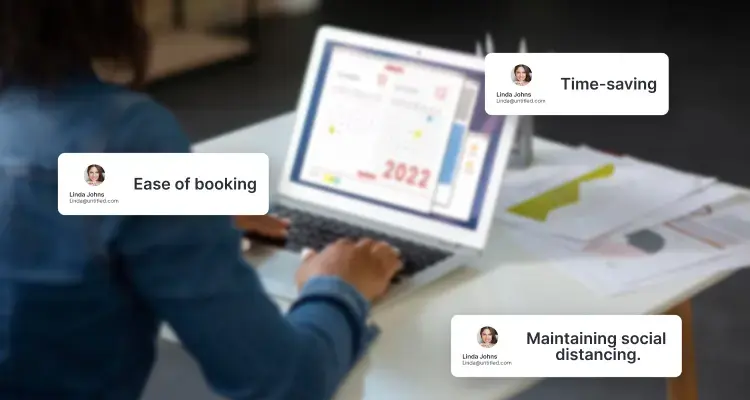
Employees are more likely to explore new software when they know the tangible benefits associated with using it. Desk booking allows you to book desks of your choice. This helps save the time required to search for a desk. It also helps maintain social distancing to reduce health risks.
Facility managers can schedule virtual meeting sessions with the employees.
Employees at all levels are bound to have busy schedules. Hence, employers need to actively prioritize getting employees to learn the desk booking system. They need to schedule training sessions for the employees.
Employees may require time to get acquainted with the new software and use them effectively. You can organize training sessions to help your employees get acquainted. You can help them understand the different use cases and how to use them.
Team leaders and managers can also conduct sessions to discuss any employee concerns about using the new software.
While choosing a training format, consider that the company will have both in-office and remote employees. This may require different training methods to learn the software. So, instead of lengthy presentations, you can go for a format that captures the necessary theoretical basics. Furthermore, you can add a software demo or mock use sessions.
Ensure that the training sessions are recorded. The training documents should be distributed in advance to make the sessions valuable for all employees. In addition, employers can make the training interactive with processes with drills, etc., to boost learning retention.
When employees know how to use desk booking software, they can efficiently reserve desks of their choice. They can also comply with physical distancing measures. Managers can benefit from actionable and timely insights about desk usage. This will further allow them to manage facility resources effectively and deploy cleaning staff routinely to maintain office sanitization requirements.
With WorkInSync’s desk booking system, leverage solutions manifold, simplify the desk reservation process, and ensure employees’ safe return to offices. Our solution integrates with apps like Microsoft Teams, Slack, and Google Assistant, enabling smoother collaborations in a hybrid work environment. Get in touch with us to know more and schedule a demo today!
Subscribe to our blog to know more about the latest desk booking trends.
 Workplace Management
24 September 2026
Compare six workplace management platforms. See what each is suited for and how to choose the right fit in 2026.
Deesha
|
4 Min Read
Read More
 Announcement
13 August 2026
WorkInSync has been recognized by Info-Tech Research Group as a Champion in the 2026 Data Quadrant for Space Management, ranking #2, and as a Champion in the Emotional Footprint, ranking #2. Both awards are published on SoftwareReviews, Info-Tech's ratings platform, where rankings are built entirely from user feedback.

Sai Riddi
|
2 Min Read
Read More
 Desk Booking Software
5 June 2026
Let’s not pretend otherwise. Somewhere in your organization, a well-meaning IT or facilities team rolled out a desk booking system. There was a demo. Someone said “seamless.” There may have been a slide with the word “frictionless” on it. Leadership nodded. Procurement signed off. And then employees quietly went back to texting each other on […]

Ujjwal Trivedi
|
6 Min Read
Read More