
 Workplace Management
24 September 2026
Best Workplace Management Software in 2026: 6 Tools Compared
Compare six workplace management platforms. See what each is suited for and how to choose the right fit in 2026.

Deesha
|
4 Min Read
Read More

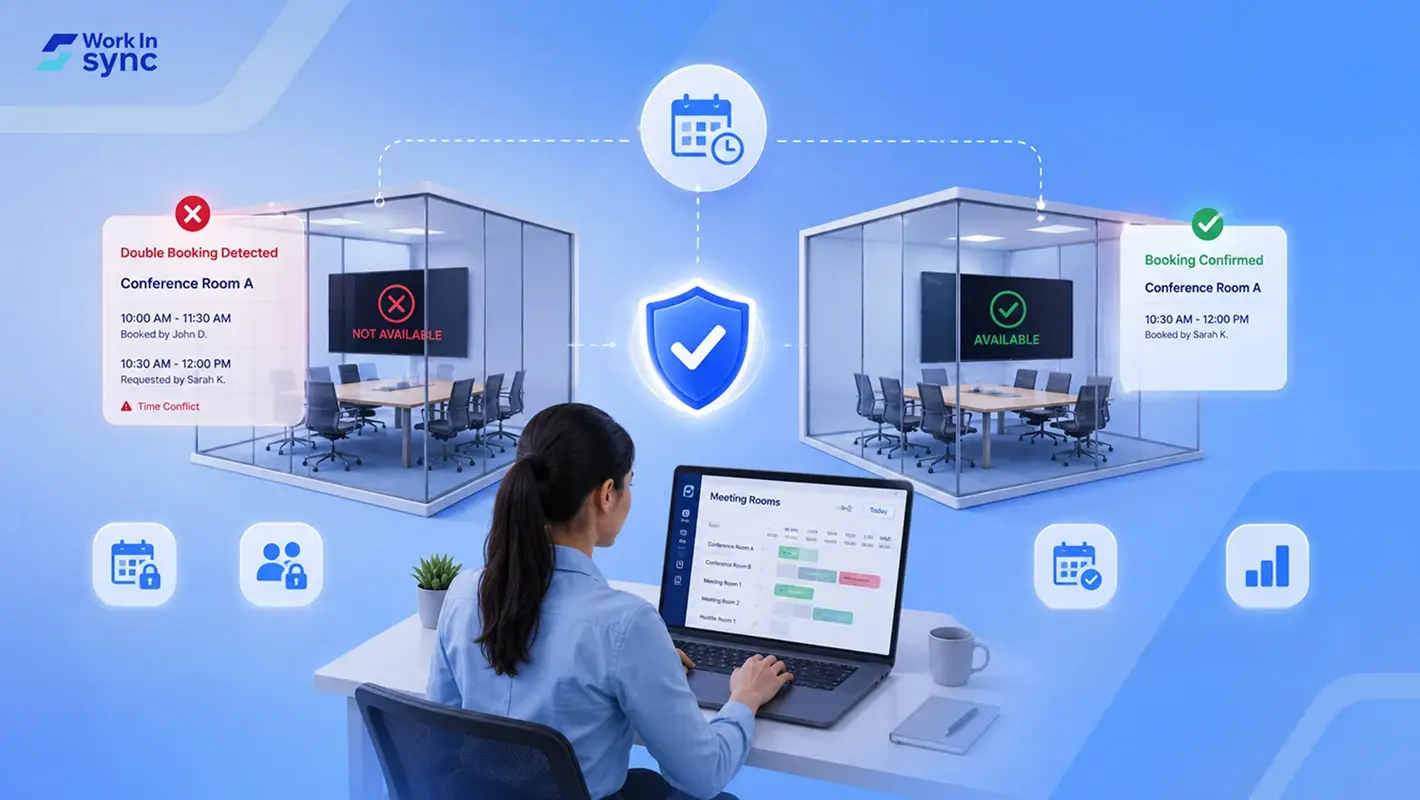
Double bookings and meeting room conflicts can disrupt your schedule and waste valuable time. Avoiding these errors starts with implementing clear room scheduling best practices and using a reliable meeting room booking system. The most effective way to prevent double bookings is to use automated tools that detect conflicts and restrict unauthorized bookings.
You can reduce conference room booking errors by setting booking policies, limiting access to users, and using software that automatically declines overlapping reservations. These strategies help maintain smooth operation and ensure everyone has fair access to meeting spaces.
By adopting these approaches and integrating double booking prevention tools into your workflow, you improve efficiency and avoid the frustration of clashing meetings. Effective room management is essential to managing your business resources smoothly.
A double booking happens when two or more meetings are scheduled for the same room at the same time. This conflict means your meeting space is reserved by multiple parties, causing confusion and disruption.
Double bookings can occur due to manual scheduling errors or poor coordination between team members. They often lead to delays, rescheduling, or the need to find alternative rooms last minute.
Here are some common signs of a double booking:
Two meeting invites sent for the same room and time
Unexpected room conflicts when you arrive
Overlapping recurring meetings in the calendar
You can identify double bookings by looking at your calendar resources or room reservation system.
Double bookings and scheduling conflicts usually arise from a mix of system limitations and human factors. Understanding the main causes can help you take targeted steps to reduce errors and improve your meeting room management.
Many scheduling systems lack the necessary features to prevent double bookings effectively. For example, some room calendars allow direct saving of meetings without checking for conflicts, bypassing automated conflict detection. If your booking tool doesn’t support automatic declining of conflicting reservations or restrict recurring meetings, it increases the risk of scheduling overlaps.
Limited integration with other platforms or the absence of real-time updates also leaves room for errors. Without proper synchronization across calendars and devices, your system cannot warn users about conflicts before they finalize bookings. To manage this, use tools configured to stop overlapping meetings or that scan for conflicting entries.
Even the best technology depends on user accuracy. Double bookings often occur because users manually bypass processes, such as booking directly on room calendars instead of through their mailbox invitations. This shortcut ignores automated checks built into the booking system.
Another common error is failing to verify current room availability. Users sometimes assume that a room is free based on outdated knowledge or forget to update the system when cancellations or changes occur. Encouraging strict adherence to proper booking protocols and involving a human gatekeeper for approval can help reduce errors caused by oversight.
Scheduling conflicts increase significantly when room availability information is not updated instantly. If your system does not push real-time changes to user calendars, someone might see a time slot as free even though it was just booked by another person.
This latency issue often happens in setups without cloud synchronization or with slow update intervals. It means one user can book a slot while another sees the same slot available seconds later. Your booking platform should support immediate synchronization and blocking of conflicting requests to prevent double bookings effectively.
Booking conflicts in your meeting rooms affect more than just scheduling. They disrupt events, leading to delays or cancellations that impact productivity.
When rooms are double booked, no-shows may increase because users give up or lose trust in the system. This damages the overall user experience for meeting organizers and attendees.
You also risk lowering accountability among staff. Without a reliable booking system, it’s harder to track who booked a room and when, creating confusion and disputes.
Maintenance of your meeting rooms can be compromised. Conflicting bookings make it difficult to schedule cleaning or repairs consistently, which affects room availability and condition.
The costs of these issues add up, including wasted time trying to resolve conflicts and loss of meeting effectiveness. Your staff spends additional time coordinating alternative spaces, which reduces focus on core tasks.
Preventing booking conflicts helps you avoid these negative outcomes and ensures your meeting rooms function efficiently. Tools that automate scheduling reduce human error and improve reliability.
To reduce conflicts and maximize meeting room use, you must apply specific techniques that address scheduling, transparency, technology, and policies. Effective management involves clear rules, accurate data, and controls that help prevent overlapping reservations before they occur.
Start by defining unambiguous booking rules that everyone must follow. Specify how far in advance meetings can be scheduled and outline cancellation procedures.
Set limits on how many reservations one person or team can hold. Include rules about recurring meetings to avoid long-term blocks that cause conflicts.
Distribute these policies clearly to all employees and ensure they acknowledge understanding. This reduces confusion and reinforces accountability, helping you to enforce order in room usage.
Your scheduling system should show real-time availability to avoid double bookings. Make sure all users can easily see when rooms are free or occupied.
Consider using shared calendars or centralized booking platforms that update instantly as reservations are made or canceled.
Visibility across departments prevents surprise conflicts and allows users to plan around existing bookings effectively, minimizing errors caused by lack of information.
Technology plays a key role in preventing booking conflicts. Use scheduling software that automatically blocks overlapping reservations or accepts no conflicting entries.
Alerts or notifications can also warn users when their booking attempts clash with existing ones.
Advanced tools offer reporting features for administrators to monitor booking patterns and take action on repeated conflicts.
Control who can book what and when by assigning roles based on authority or department. Limit access to high-demand conference rooms to certain users or teams.
Implement approval workflows where some bookings require manager authorization before confirmation. This gatekeeping adds a layer of oversight to prevent unauthorized or overlapping reservations.
By managing permissions, you can reduce accidental double bookings caused by unchecked or improper scheduling.
Keep all room details current, such as capacity, equipment availability, or status changes (e.g., maintenance or renovations).
Inaccurate room data can lead to improper bookings and last-minute cancellations, increasing chances of double bookings.
Review and refresh room information in the booking system regularly to maintain trust and prevent scheduling errors stemming from outdated information.
Include short buffer periods, typically 5 to 15 minutes, between back-to-back meetings to allow for room turnover and unexpected delays.
This prevents one meeting from running into another’s start time, reducing the risk of overlap even if a meeting overruns slightly.
Configuring buffers automatically in your scheduling system helps maintain punctuality and smooth transitions between meetings.
Analyze booking histories regularly to identify patterns causing double bookings. Look for frequent conflicts related to specific rooms, users, or times.
Use this data to adjust policies, update user permissions, or optimize room allocation strategies.
Periodic audits help you stay proactive in preventing future scheduling conflicts and improving overall meeting room management.
You can use several technology tools to manage room reservations accurately and avoid scheduling conflicts. Integrating your calendar systems with real-time updates and resource management features can drastically reduce errors. Visual indicators and office maps also help you confirm room availability quickly.
Using dedicated meeting room booking software provides you with essential features to prevent double bookings. These tools often integrate with platforms like Microsoft Outlook and Google Calendar, using resource mailboxes to manage room availability.
This integration automates resource allocation and blocking times when rooms are booked. You get real-time calendar updates, which reduce human errors. Some systems include automated conflict resolution, notifying you immediately if a booking overlaps.
Advanced software like WorkInSync also offer bulk management of meeting rooms and automated handling of recurring bookings. You can configure rules so that double bookings are automatically declined, ensuring the schedule stays accurate.
Digital room signage displays real-time meeting information outside conference rooms. This helps you verify at a glance if a room is free or occupied without needing to check calendars.
These devices typically sync with your room booking software and calendars. When a meeting is scheduled, the signage updates automatically and shows meeting details such as organizer name and duration.
With digital signage, you can avoid last-minute conflicts and unauthorized room use. It also helps in monitoring if a room that was booked is actually in use, improving resource utilization.
Office maps showing real-time room availability offer a visual, interactive way for you to find open spaces. These maps connect to your booking systems and update immediately when a booking is made or canceled.
You can filter rooms by capacity, equipment, or location directly on the map. This reduces the time spent searching for available rooms and lowers the risk of conflicts caused by human error.
Some systems also integrate with occupancy sensors, so the map reflects actual usage, not just scheduled time. This ensures you see spaces that are truly free, helping with last-minute scheduling needs and optimizing room usage.
For complex office environments, maps combined with software and signage provide a comprehensive approach to managing room bookings.
To reduce double bookings and booking errors, you should adopt technology designed specifically for meeting room management. Automated room booking systems provide real-time updates and block conflicting reservations before they occur.
Using cloud-based booking platforms allows your calendar to sync across devices and users, minimizing the chance of scheduling conflicts. These systems often include features like automated reminders and instant availability updates, helping you maintain clear communication.
By integrating these tools like WorkInSync, you address meeting room conflicts proactively. This leads to better resource utilization, reduces employee frustration, and improves overall workflow efficiency.
Implementing a meeting room booking system tailored for your organization supports clear scheduling and avoids confusion. Investing in these technologies helps maintain order and enhances your workplace’s productivity.
 Workplace Management
24 September 2026
Compare six workplace management platforms. See what each is suited for and how to choose the right fit in 2026.
Deesha
|
4 Min Read
Read More
 Announcement
13 August 2026
WorkInSync has been recognized by Info-Tech Research Group as a Champion in the 2026 Data Quadrant for Space Management, ranking #2, and as a Champion in the Emotional Footprint, ranking #2. Both awards are published on SoftwareReviews, Info-Tech's ratings platform, where rankings are built entirely from user feedback.

Sai Riddi
|
2 Min Read
Read More
 Desk Booking Software
5 June 2026
Let’s not pretend otherwise. Somewhere in your organization, a well-meaning IT or facilities team rolled out a desk booking system. There was a demo. Someone said “seamless.” There may have been a slide with the word “frictionless” on it. Leadership nodded. Procurement signed off. And then employees quietly went back to texting each other on […]

Ujjwal Trivedi
|
6 Min Read
Read More