
 Workplace Management
24 September 2026
Best Workplace Management Software in 2026: 6 Tools Compared
Compare six workplace management platforms. See what each is suited for and how to choose the right fit in 2026.

Deesha
|
4 Min Read
Read More

Key Takeaways
Vendor Support With software that forms the backbone of your facility operations, you cannot afford to have a moment of no support. You would not want to be hung to dry, grappling with a breakdown all alone. So, the first thing you need to strike off your checklist is vendor support. Vendors not known for their service must be off your list right away.
Security Provided by the Space Management System A space management system is a treasure trove of information and business intelligence. From employee details to financial data, it carries data of some value. If you buy a solution without requisite safeguards in place, it is a risk not worth taking. When you look up the service credentials of your vendors, ask for any past cybersecurity risks and threats they faced. Also, seek clarity on data backup and recovery measures in the event of a security risk. Also Read: 7 Signs You Need a Space Management Software
The hybrid work models of today rely on the space management system for a host of reasons. But as an IT Manager, it is imperative to analyze the space management software before investing in one. This blog highlights a checklist for you to refer to before buying one.
Purchasing a space management system was never easy. With COVID-19 introducing new use cases and more variables, you need to make sure the one you buy covers all your bases. This checklist covers the most important ones.
Before we get to what, let us briefly discuss why.
Bonus Read: What is Space Management Software?
Although COVID-19 has triggered the need for hybrid workplace models for most companies, a space management system’s utility is synonymous with the latter.
Fundamentally, a space management tool helps you realize better RoI and create a better work environment. It does it through real-time data, robust reporting, recommendations for better space utilization through improved floor plans and space allocations.
Since you also manage space better, your real estate cost reduces, and employee experience increases. So, hybrid workplace or not, your office needs a space management system for better space planning.
Also Read: How Space Management System Help a Hybrid Workplace?
Space management software is available in many shapes and forms like all cloud-based solutions. The features on offer could differ by the solution provider, the industry needs, real estate portfolio size, and even geographical and cultural nuances.
Here we cover the essential features that most industries require, irrespective of many variables at play. Ultimately, it must help you reduce costs and improve your ROI.
With software that forms the backbone of your facility operations, you cannot afford to have a moment of no support. You would not want to be hung to dry, grappling with a breakdown all alone.
So, the first thing you need to strike off your checklist is vendor support. Vendors not known for their service must be off your list right away.
A space management system is only as good as the data it collects and reports it generates. It must help you make data-driven decisions on the go.
For better monitoring of utility consumption and to drive cost reductions, it should be able to manage and integrate automated utilities. If you have a largely unoccupied office space with lights and HVAC systems running at full speed, your space management system must alert you in real-time. It must also recommend you to rework space allocations. If not, it is simply not serving the purpose.
It should also provide data to facility managers to support decisions such as signing a new lease, determining occupancy goals, and moving to a new facility.
A popular tool that many offices use today is a calendar to schedule meetings and set reminders. As the IT manager, you need to evaluate if the space management system can effectively integrate with calendars and other collaboration tools, such as Slack or Teams.
For instance, if you schedule a meeting on Google calendar, the tool should enable room reservations from the same interface. It should also change the participant’s status on the collaboration tool to “busy in a meeting.”
Therefore, you need to look for one that provides seamless and meaningful integration – rather than one that integrates for the sake of it.
If you are a growing company, you would not want to go out shopping every time you open a new facility or add more desks to your current one. From an IT manager’s perspective, implementing a solution that is not scalable will be an uphill task.
Opting for a vendor providing the full range of hybrid workspace planning solutions will help you overcome the challenge. Typically, the software is built as modules that are easy to integrate.
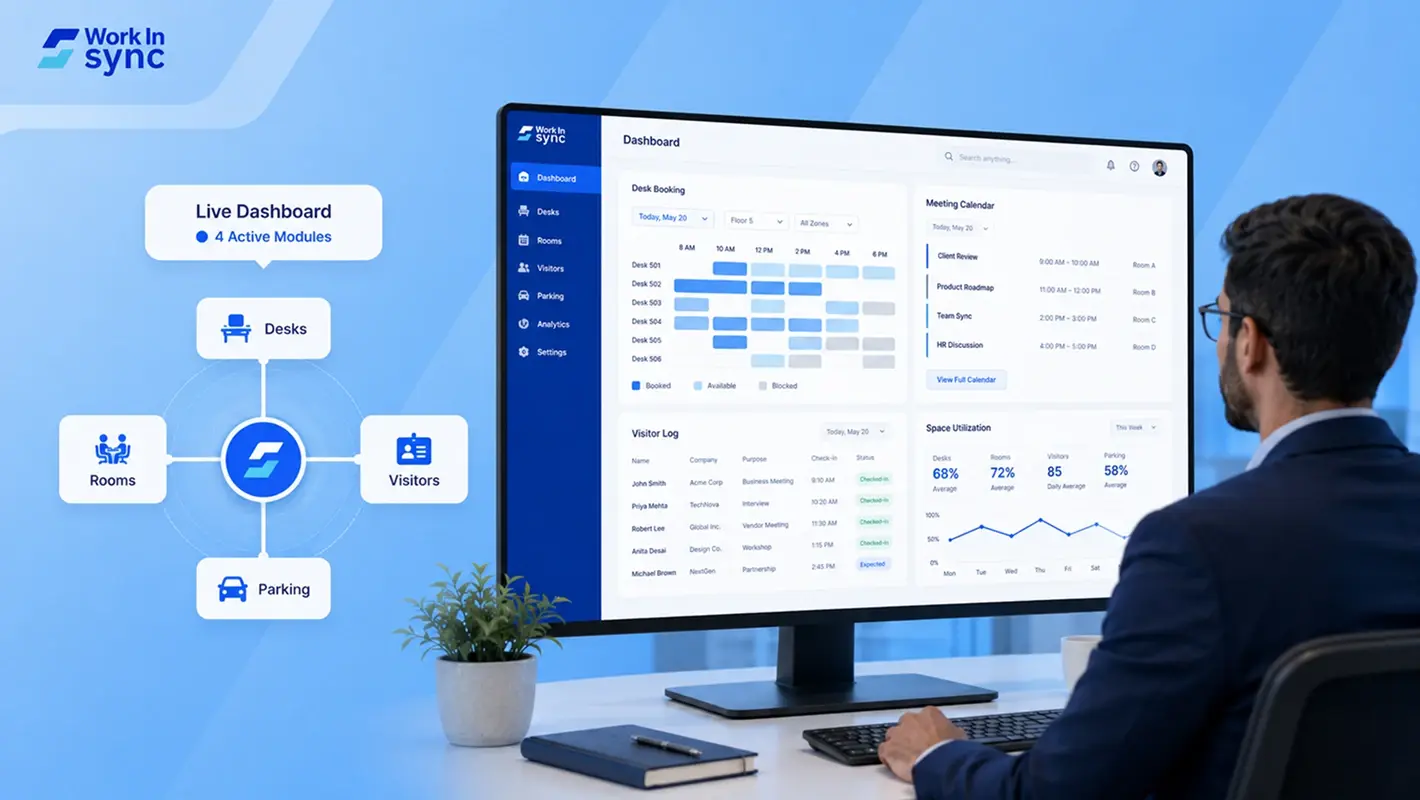
For example, as your team size increases, you might want to incorporate a desk booking system. When you buy it from a vendor offering modular solutions, you can get the system up and running in virtually no time. WorkinSync, for instance, provides an entire range of solutions that can easily integrate with other popular workplace tools.
A space management system is a treasure trove of information and business intelligence. From employee details to financial data, it carries data of some value. If you buy a solution without requisite safeguards in place, it is a risk not worth taking.
When you look up the service credentials of your vendors, ask for any past cybersecurity risks and threats they faced. Also, seek clarity on data backup and recovery measures in the event of a security risk.
Also Read: 7 Signs You Need a Space Management Software
One of the most commonly overlooked items when buying a space management system is ease of use. If it is not easy to use, it would not be easy to implement either. Therefore, you need to get buy-in from all the stakeholders or potential users of the space management platform.
If people cannot use a product, it is bound to fail. Therefore, the space management system you choose must be easy to use for most stakeholders with minimal or no training.
Every organization is different; so is the purpose of buying a space management system. If you are an IT manager in the market to buy a space management system, use the above checklist as a foundation to build your own.
Add all the features you deem necessary and set out on the hunt. But you might not be able to predict all the needs right away. Hence, picking a flexible and scalable modular solution helps in the long run.
However, choosing between cool features and reliable vendor support, always pick the latter.
With good vendor support, a space management system can transform your work environment for the better.
Subscribe to our blog to learn more about space management systems and hybrid workplace software.
 Workplace Management
24 September 2026
Compare six workplace management platforms. See what each is suited for and how to choose the right fit in 2026.
Deesha
|
4 Min Read
Read More
 Announcement
13 August 2026
WorkInSync has been recognized by Info-Tech Research Group as a Champion in the 2026 Data Quadrant for Space Management, ranking #2, and as a Champion in the Emotional Footprint, ranking #2. Both awards are published on SoftwareReviews, Info-Tech's ratings platform, where rankings are built entirely from user feedback.

Sai Riddi
|
2 Min Read
Read More
 Desk Booking Software
5 June 2026
Let’s not pretend otherwise. Somewhere in your organization, a well-meaning IT or facilities team rolled out a desk booking system. There was a demo. Someone said “seamless.” There may have been a slide with the word “frictionless” on it. Leadership nodded. Procurement signed off. And then employees quietly went back to texting each other on […]

Ujjwal Trivedi
|
6 Min Read
Read More