
 Workplace Management
24 September 2026
Best Workplace Management Software in 2026: 6 Tools Compared
Compare six workplace management platforms. See what each is suited for and how to choose the right fit in 2026.

Deesha
|
4 Min Read
Read More

Key Takeaways
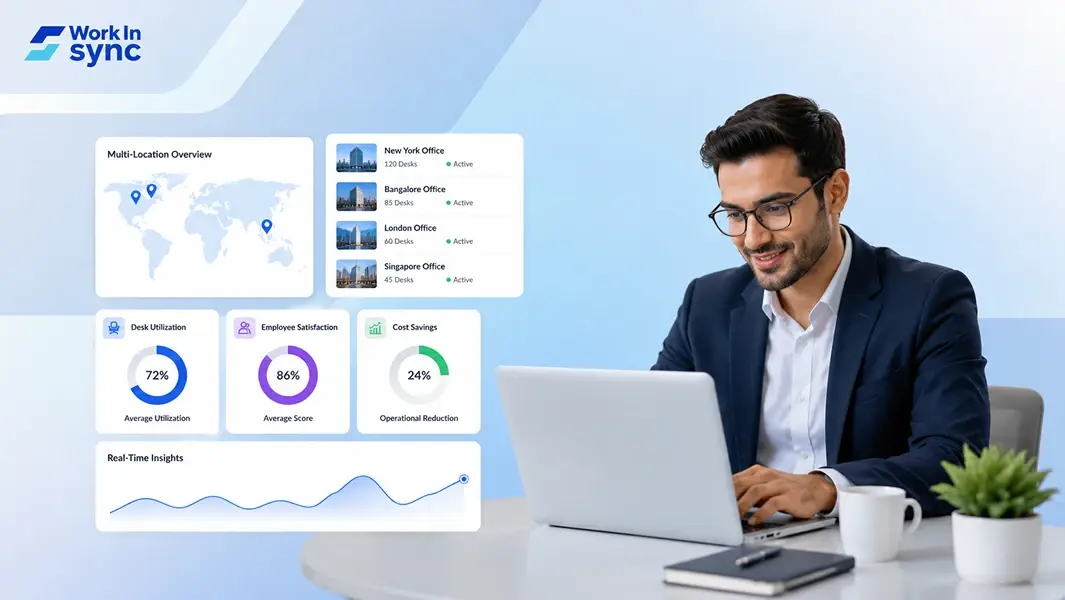
Workplace management systems eliminate manual data handling across multiple office locations through centralized platforms
Key features include unified scheduling, compliance tracking, real-time analytics, and location-specific customization capabilities
Success metrics should track booking utilization rates, employee satisfaction scores, and operational cost reductions across all sites
Running a business with offices in multiple cities or countries creates coordination headaches that single-location companies never face. A workplace management system centralizes scheduling, desk bookings, attendance tracking, and compliance across all your locations through a single platform, eliminating manual processes and data inconsistencies. Without this unified approach, HR teams struggle with separate systems for each site, leading to inefficiencies and gaps in visibility.
The challenges multiply as your footprint expands. Different time zones, varying labor laws, inconsistent policies, and disconnected communication channels make it difficult to maintain operational standards. Managing work schedules across multiple locations requires coordinating staffing needs and employee availability across various sites simultaneously.
The right technology transforms this complexity into streamlined operations. Managing hybrid work across multiple offices and countries from a single platform covers compliance, localization, and unified analytics, giving you complete oversight of your distributed workforce.
Managing multiple offices creates challenges that don’t exist with single locations. Each site operates with different office layouts, employee needs, and regional requirements.
Scheduling complexity increases exponentially when you manage employees across time zones and locations.
Your team faces compliance issues since different regions have unique safety and labor standards. Cultural differences across regions add another layer of complexity to facility management.
A workplace management system integrates real estate optimization, and employee experience into one centralized platform for your multiple office locations. It handles desk booking, meeting room scheduling, visitor management, and space analytics across all your sites.
Multi-location workplace management platforms eliminate disconnected tools by unifying workplace data across your enterprise.
Organizations with distributed offices face coordination issues around employee presence, varying office experiences, and space utilization that create operational inefficiencies and compliance risks.
Without centralized visibility, your workplace operations team cannot track which employees occupy which locations on any given day. This creates problems for attendance tracking and resource allocation across your multi-location portfolio.
Key visibility gaps include:
Real-time employee presence data
Resource (desks, meeting room, parking slots) booking information
Cross-office capacity planning
Your employees encounter different booking systems, room equipment, and desk arrangements depending on which office they visit. This inconsistency complicates the hybrid office experience and reduces productivity.
You likely have underutilized space in some locations while others face capacity constraints. Without aggregated data, facility managers cannot optimize your real estate investment or make informed decisions about expansion or consolidation.
Managing hybrid work policies across multiple locations requires coordination of employee scheduling, desk availability, and compliance requirements. Your team struggles to enforce consistent policies while accommodating local regulations and employee self-service needs.
A strong platform needs centralized booking capabilities, real-time occupancy data, and visitor workflows that work consistently across all your sites. The right system provides location-aware scheduling and unified analytics to maintain control without creating bottlenecks.
Your system should allow employees to book desks and meeting rooms across any location from a single interface. Location-aware booking shows available spaces based on where employees plan to work, whether that’s headquarters or a satellite office.
Real-time updates prevent double bookings and show current availability across all sites. Centralized control tools streamline operations when managing multiple locations. This gives you a single source of truth for space reservations.
Interactive floor maps help employees find desks, rooms, and amenities quickly at unfamiliar locations. Wayfinding features guide workers to their reserved spaces without requiring facilities team assistance.
Space planning tools show how each location is configured and used. You can track occupancy patterns and adjust layouts based on actual usage data rather than assumptions.
The platform should track which employees plan to work from which locations on specific days. This visibility helps managers coordinate team days and ensures adequate space availability.
Presence management features let you see office capacity in real time. Mobile access allows employees to update their work location and view colleagues’ schedules from anywhere.
Visitor management and access workflows need to function consistently across all offices. Your system should handle pre-registration, check-in, badge printing, and host notifications at every site.
Access control integrations ensure visitors only enter approved areas. Automated workflows reduce administrative burden while maintaining security standards across locations.
Unified dashboards display occupancy tracking, space utilization, and booking patterns across your entire portfolio. Usage analytics reveal which locations are underutilized and which need expansion.
Real-time data helps you make informed decisions about real estate costs and space allocation. Reporting tools should break down metrics by location, department, and time period for detailed insights.
Measure real-estate utilisation, employee satisfaction and employee engagement. Workplace analytics help you understand workspace utilisation and employee experience trends and make data-driven improvements.
Standardizing how you measure KPIs prevents confusion from different definitions across sites. Compare performance between locations to identify best practices worth replicating.
A workplace management system transforms how you coordinate multiple office locations. Managing multi-location workforce operations becomes straightforward when you centralize scheduling, space allocation, and resource tracking.
Your teams stay connected regardless of location. This consistency strengthens corporate culture by ensuring employees receive equal access to amenities and support across all sites.
The right platform provides real-time visibility into:
Desk and meeting room availability
Resource utilization rates
Cross-location collaboration patterns
You gain the control needed to make informed decisions about space optimization and employee experience improvements across your entire organization.
Book a demo today with WorkInSync and explore how you can run your multi‑location offices smoothly.
Workplace Management24 September 2026
Compare six workplace management platforms. See what each is suited for and how to choose the right fit in 2026.
Deesha
|
4 Min Read
Read More
 Announcement
13 August 2026
WorkInSync has been recognized by Info-Tech Research Group as a Champion in the 2026 Data Quadrant for Space Management, ranking #2, and as a Champion in the Emotional Footprint, ranking #2. Both awards are published on SoftwareReviews, Info-Tech's ratings platform, where rankings are built entirely from user feedback.

Sai Riddi
|
2 Min Read
Read More
 Desk Booking Software
5 June 2026
Let’s not pretend otherwise. Somewhere in your organization, a well-meaning IT or facilities team rolled out a desk booking system. There was a demo. Someone said “seamless.” There may have been a slide with the word “frictionless” on it. Leadership nodded. Procurement signed off. And then employees quietly went back to texting each other on […]

Ujjwal Trivedi
|
6 Min Read
Read More