
 Workplace Management
24 September 2026
Best Workplace Management Software in 2026: 6 Tools Compared
Compare six workplace management platforms. See what each is suited for and how to choose the right fit in 2026.

Deesha
|
4 Min Read
Read More


Key Takeaways
Conference rooms continue to play a vital role in daily life of employees in collaboration, decision-making, and team engagement despite the rise of virtual meetings.
Common issues like no-shows, double bookings, overused rooms, and unclean spaces cause frustration and lower productivity.
Post-COVID, sanitization gaps have become a serious concern, missed cleanups and sanitization can lead to hygiene risks and operational friction.
Manual booking systems lead to gatekeeping, lack of visibility, and internal confusion, making meeting management chaotic and inefficient.
Reservation systems like WorkInSync automate bookings through auto-cancellations, reminders, and calendar integrations
Some other must-have features offered by workspace management tools include real-time analytics, smart room suggestions, and compatibility with facility, attendance, and messaging tools to streamline meeting management.
Investing in a modern booking system reduces friction, improves meeting efficiency, and strengthens workplace hygiene and transparency, delivering strong ROI.
WorkInSync offers a comprehensive, easy-to-integrate conference room reservation system designed for the hybrid workplace.
In a recent Gensler survey, more than half the respondents said meetings with colleagues, socializing with people, and impromptu face-to-face interaction were the main reasons to return to the office. Most people said they miss meetings because it is tough to stay up to date and collaborate with others while working from home. And this is despite the virtual collaboration technologies. So, pandemic or no-pandemic, the conference room is far from dead. On the contrary, post-pandemic return-to-office makes a solid case for companies to invest in a conference room reservation system.
The conference room continues to be a focal point in the corporate world for planning, brainstorming, managing crises, and communicating.
One of the most common challenges or complaints heard in a modern office is the unavailability of a conference room when you need one. The ones available would be either too small or lack the necessary equipment. Even if you find one, the duration for which you hold it depends on your position in the hierarchy or the criticality of the meeting agenda. Else, be prepared for “sorry, we need this room now.” Getting a room, so to say, has been a perennial problem plaguing the corporate world.
Working in a corporate office, here are five common scenarios people encounter related to the use of the conference room.
No shows are a common occurrence. People book rooms for tentative meetings that don’t happen or get rescheduled. But the booking stays as-is. Result? An empty conference room that you can’t use. A conference room scheduling software can help you automatically push unoccupied rooms back to the available pool.
You are greeted with, “Are you sure you booked it?”, followed by “we will leave in a few minutes” or “you could take the one on the floor if it’s alright.” No, it isn’t alright. But most people are too polite to say it bluntly – at least not always.
Conference room reservation systems can eliminate any scope of ambiguity by displaying the bookings and even holding a room for a specific meeting.
It isn’t entirely uncommon to find people having an entire conference room to themselves. The reasons could vary from wanting a distraction-free environment to not finding a seat elsewhere. It could be your sales team visiting the office once a week or a bunch of new joinees waiting for seat allocation. While it’s okay to use unused rooms, conference room scheduling software can prioritize events and alert the occupants in advance about the upcoming meeting.
At the other end of the spectrum are overfilled meeting rooms. You can also find a few people standing for want of space. While on some other floor, four people might be occupying a 16-seater. A conference reservation system lets people book rooms based on the number of participants. Users can also input the equipment requirements to ensure that the room has a projector and a whiteboard.
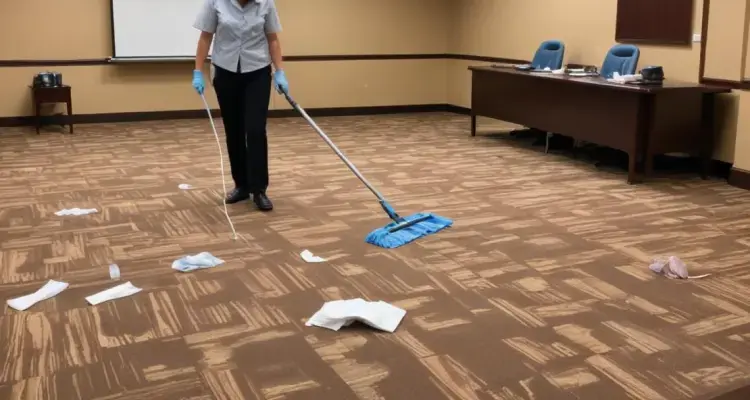
Post-meeting clean-ups were always a must. In the post-COVID world, sanitization is a necessity. Without a way to monitor the start and end times of the meetings, timely housekeeping becomes a challenge posing grave health risks.
The conference room reservation system can alert your housekeeping staff to clean and sanitize the room for the next meeting. It can also be programmed to have dedicated time windows for cleaning.
More than operational issues, the fight for conference rooms can acquire unexpected dimensions leading to friction in working relationships. A conference room booking software can minimize turf-wars by bringing a healthy dose of transparency into the entire process.
Discover how streamlined conference room scheduling boosts productivity and reduces no-shows.
On a macro level, there are two methods to book a conference room.
A manual booking method is fraught with issues but still popular among small and big offices alike. Some use stickies on the doors, while others display bookings on the screens. No matter how sophisticated these appear on the outside, the inside is hollow and fragile. Following are the common pitfalls of such a system:
It is tough to make people subscribe to a system that is malleable at its core. It isn’t entirely uncommon for people to use their position to bulldoze their way into getting a room for their meetings.
Workplace admins act as gatekeepers to the bookings and doors of the conference room. Unmanned rooms get stolen and often lead to friction. And the admin becomes the de facto mediator when conflicts arise.
Lastly, canceled bookings seldom get updated, and stickies on the door stay on.
A conference room reservation system eliminates the need for manual intervention, and lets technology take over. Meeting coordinators can themselves log into the app to find a suitable room with all facilities (projectors, video conferencing equipment, etc.) and book it. The system holds it for them.
The meeting coordinator can enter the details of guests and requirements for the system to allot a room.
If the check-in doesn’t happen in time, the users get a reminder, or the booking gets auto-canceled. It releases the room for other users. Similarly, it can alert the housekeeping staff on checkouts before releasing the room back into pools of available conference rooms.
When considering a conference room reservation system, categorize your requirements into must-have and good-to-have. It will prevent you from getting swept away from features you might never or rarely use. Here are five must-have features:
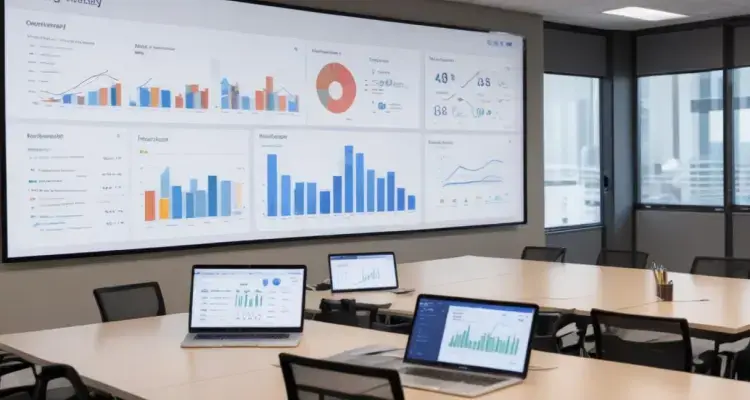
For conference room booking software, most people ignore the importance of data analytics. However, it is worthwhile to note that several pieces of research point to a negative financial impact of excess meetings. Keeping a tab on the time and money you spend on meetings can help you make them more effective and efficient.
Moreover, a product with data analytics capability tells us a lot about the maturity of the technology itself. So, real-time data and analytics is the number one feature to look for.
Recommended Reading: 5 Features of Meeting Room Management
A conference room reservation system must be able to recommend rooms based on user requirements. It should consider the number of participants and equipment requirements before displaying the options. Advanced booking systems also take into account the location of participants before suggesting rooms. Without this feature, chaos would surely creep in due to manual interventions.
Expecting employees to log into multiple apps to schedule a meeting, you set up the scheduling system for failure.
An ideal conference room reservation system easily integrates with Google or Outlook calendars and lets people book meeting rooms from the respective interfaces. Concurrently, it also notifies the participants. If you are working in a large office, it also helps them find their way to the conference room.
Conference room reservation systems cannot work in isolation – integration with other tools in the workplace management suite is a must. For example, integration with attendance management helps meeting coordinators ensure the availability of all participants before scheduling meetings. Similarly, integration with the team planner tells the system if some participants work remotely and decide if video conferencing is required. You can also integrate it with facilities management software to alert housekeeping staff to sanitize the room before the next meeting.
Also Read: WorkInSync is Now Available on Microsoft Teams
All systems and processes are incomplete if the loop isn’t closed with a feedback management system. Without feedback, workplace managers wouldn’t know if there are any lapses or leakages in the system. So, it is a must for the conference room booking systems to have an in-built feedback system.
Let WorkInSync simplify how you schedule, manage, and optimize meeting room usage.
Today the most compelling reason for investing in a conference room reservation system is the health and safety of your employees. Because conference rooms are places where people aggregate, they provide the perfect breeding ground for the virus to multiply. A conference room reservation system helps in two ways:
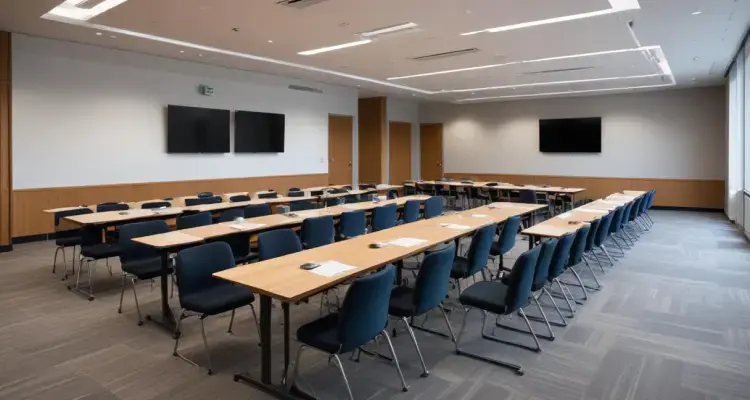
By recalibrating the capacity of the rooms, you can limit the people density in the conference rooms. Cutting down the number of available seats in a room can help you comply with social distancing requirements.
As opposed to a manual booking system, conference room booking software helps you trace employees who attended a meeting with infected individuals. You can also figure out the people with whom they came in touch. Manually, the whole process would take a lot of time, increasing the risk manifold.
The use of conference room reservation systems streamlines meeting room bookings leading to tangible benefits down the line. From generating data about the utility value of meetings to providing a safe and healthy working environment, an investment in a conference room reservation system yields improved ROI.
The conference room reservation system offers numerous intangible benefits too – the most important being reduced friction caused by the manual booking system. Transparency makes people subscribe to a system, curbing the tendency to override or circumvent it.
More than ever, considering health safety requirements, conference room booking systems have become a necessity and no longer a luxury.
WorkInSync fulfills this need gap by providing a conference room reservation system that is easy to use, implement, and integrate. Cost-effective as it is, it also helps you realize a higher return per dollar invested.
 Workplace Management
24 September 2026
Compare six workplace management platforms. See what each is suited for and how to choose the right fit in 2026.
Deesha
|
4 Min Read
Read More
 Announcement
13 August 2026
WorkInSync has been recognized by Info-Tech Research Group as a Champion in the 2026 Data Quadrant for Space Management, ranking #2, and as a Champion in the Emotional Footprint, ranking #2. Both awards are published on SoftwareReviews, Info-Tech's ratings platform, where rankings are built entirely from user feedback.

Sai Riddi
|
2 Min Read
Read More
 Desk Booking Software
5 June 2026
Let’s not pretend otherwise. Somewhere in your organization, a well-meaning IT or facilities team rolled out a desk booking system. There was a demo. Someone said “seamless.” There may have been a slide with the word “frictionless” on it. Leadership nodded. Procurement signed off. And then employees quietly went back to texting each other on […]

Ujjwal Trivedi
|
6 Min Read
Read More