
 Workplace Management
24 September 2026
Best Workplace Management Software in 2026: 6 Tools Compared
Compare six workplace management platforms. See what each is suited for and how to choose the right fit in 2026.

Deesha
|
4 Min Read
Read More

Key Takeaways
IT managers play a critical role in implementing meeting room booking systems, from tool selection to rollout and adoption.
Early involvement helps avoid redundancy by aligning the new tool with existing systems and workplace culture.
Key features to consider include easy integration with calendars, real-time room availability, access controls, user-friendly interfaces, and analytics.
Implementation happens in three phases: technical integration, testing, and rollout, each requiring close collaboration with vendors and internal teams.
Testing should include both controlled use cases and small-scale user trials to refine functionality and user experience.
Successful rollout depends on seamless workflow integration, internal communication, training materials, and ongoing feedback.
IT managers ensure better adoption by understanding user behavior, customizing workflows, and resolving issues post-launch.
A meeting room booking system is integral to a hybrid workplace. IT Managers play a crucial role in the implementation of a meeting room booking solution. This blog analyzes the same.
Implementing any new piece of technology or software that affects the work habits of an organization is always a challenge. A meeting room booking system is no different. Even the best solution will meet with some resistance if the implementation falls short of good.
As the IT Manager, the onus lies on you to make your investment in a meeting room booking system worthwhile.
The primary reason is maintaining all IT systems is one of the responsibilities of an IT manager. With meeting room booking software, the IT manager’s involvement begins much earlier than other systems.
It is necessary as meeting room booking systems work in sync with other office management tools. IT managers have a hands-on understanding of the strengths, limitations, and gaps of the current tools. This knowledge helps companies avoid spending time and money on features they already have or do not need.

A good solution is always easy to implement. For an IT Manager, involvement begins right from choosing the meeting room booking system. If you are in the market to pick one, check out the top 5 meeting room booking systems.
Before opting a meeting room booking system, you need to list down the essentials. It will help you not get swayed by the glitter at the cost of your needs. A well-defined product requirement document would make your job significantly easier.
While picking a solution, you need to consider several factors – the scope, scale of implementation, existing tools, and organizational culture. While the culture bit might seem like the odd one out on an IT manager’s checklist, it can make or break your implementation plan.
For example, if your workplace has more ad hoc meetings than planned ones, you need a solution that supports it. Perhaps, you would want a solution that notifies users on their mobile devices and chooses a place nearest to the majority of the participants.

A few basic things that you need to look for are:
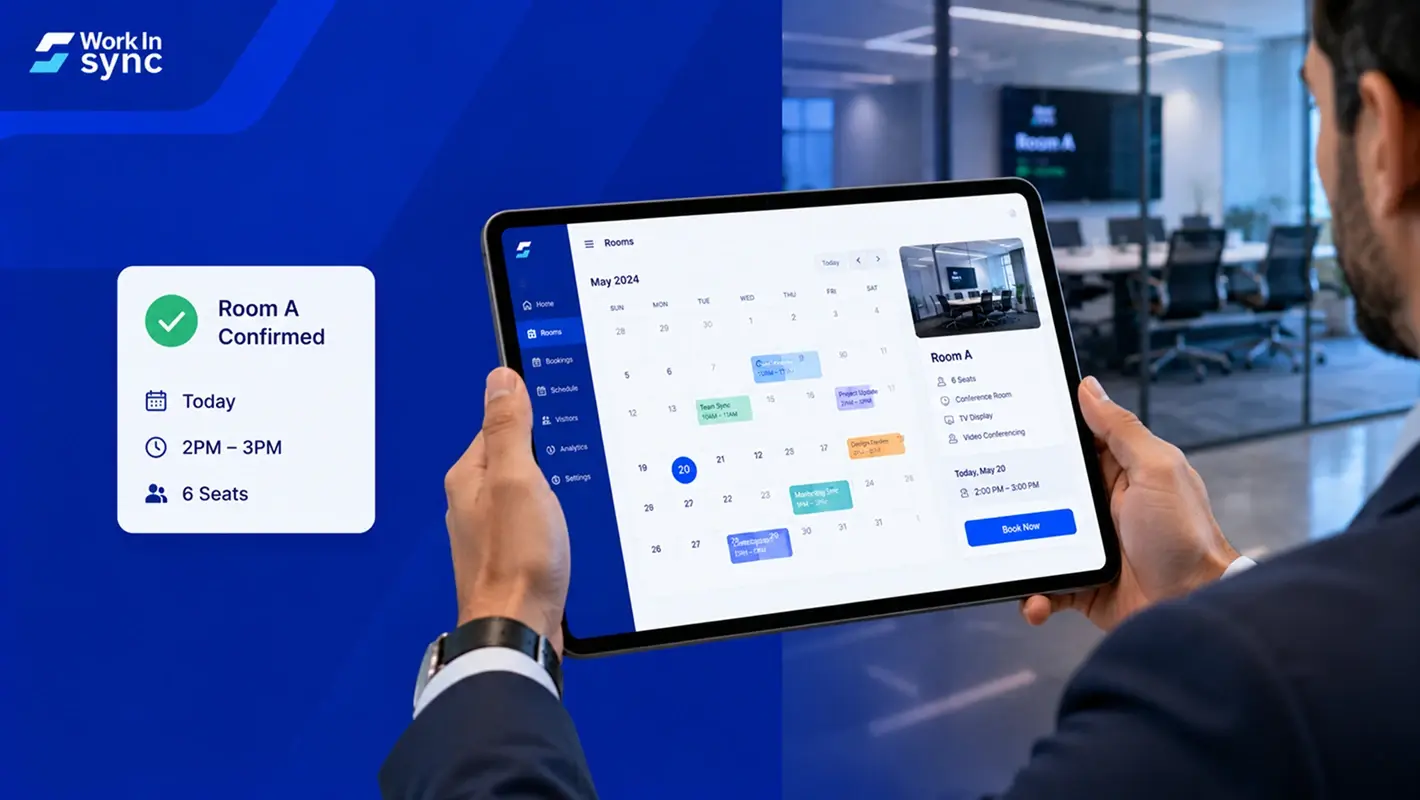
Pick a solution that is easy to integrate with your current tools. For instance, if you use Google Calendar for scheduling meetings, the solutions should allow room bookings from the same interface.
List conference rooms, booking schedule/details, and available equipment
Users must be able to book meeting rooms, send invitations, and modify details without breaking a sweat
You would not want any of your employees to be able to delete a conference room from the list. So, the meeting room booking systems must provide multiple access levels.
Analytics will help you spot gaps and identify the scope of improvement.
Also Read: 9 Features Your Meeting Room Booking Software Needs
After selecting a meeting room booking system, you have three more steps to complete. The first one is technical integration, the second is testing, and the final is roll-out. In the roll-out stage, you drive its adoption.
In this phase, you map the feature requirements. You also prioritize features and prepare a timeline for integration, test, and roll-out.
Throughout this process, you need to work closely with the vendor’s technical support team. It could involve defining use cases, designing existing and preferred workflows, providing access to your existing tools, and arriving at a workable solution. A meticulous documented approach in this phase will mitigate the risk of unpleasant surprises during testing and roll-out.
The outcome of the technical phase is not just a system that works well but also a documented SOP for troubleshooting and handling issues during teething and later.

There are two sub stages to the testing stage itself. In the first stage, you test the product in a controlled environment by trying the product for defined use cases. Your in-house team of testers can do it in collaboration with the vendor.
In the second phase, you test the product with a small group of actual users. It helps identify use cases that you might not have thought of earlier. It also helps iron out the rough edges in the user experience.
While this may sound like a regular software testing exercise, the end-users are your colleagues. Knowing users and their behavior provides you with a unique advantage. Therefore, you must incorporate the same into your use cases.
Bonus Read: Microsoft Teams Integration with WorkInSync
After investing money, time, and effort, it is only natural to look forward to a smooth roll-out with bated breath. With all the effort spent, the meeting room booking system may work flawlessly with no technical glitches. However, you are only halfway through if the system does not find any users.
You need to ensure the integration happens with the everyday workflows and not just with other tools. A solution that seamlessly integrates with your existing workplace practices is likely to fare better than one that sits on top of it. Therefore, it is a must to use a meeting room booking system that causes minimal disruption.
The second important aspect of the roll-out is communication. Apart from the ceremonial introductory mail, you need to publish how-to-use documents. You must also help popularize the benefits of the meeting room booking software– about how it makes life better for the employees.
Concurrently, you must be alert and open to feedback for improvement or fixing issues that crop up. If you find a feature particularly cumbersome to use, work closely with your vendor to find alternatives.
Meeting room booking systems do not just manage your meetings, but they boost efficiency and productivity in multiple ways.
There might be multiple choices, however, as the IT manager, you can foresee if the shortlisted solution is a square peg in a round hole. It helps avoid investing in a solution that does not serve your workplace needs.
Being involved from the beginning helps IT managers also understand the tool better. In addition to meeting room management, you can also find other workspace booking tools. It also allows you to make minor adjustments to your current systems.
Lastly, given the technical know-how, IT managers can help better adoption of a meeting room booking system.
IT Managers play a crucial role in every phase. So, they form an indispensable part in the implementation of a meeting room booking system.
Subscribe to our blog to know more about meeting room booking software.
 Workplace Management
24 September 2026
Compare six workplace management platforms. See what each is suited for and how to choose the right fit in 2026.
Deesha
|
4 Min Read
Read More
 Announcement
13 August 2026
WorkInSync has been recognized by Info-Tech Research Group as a Champion in the 2026 Data Quadrant for Space Management, ranking #2, and as a Champion in the Emotional Footprint, ranking #2. Both awards are published on SoftwareReviews, Info-Tech's ratings platform, where rankings are built entirely from user feedback.

Sai Riddi
|
2 Min Read
Read More
 Desk Booking Software
5 June 2026
Let’s not pretend otherwise. Somewhere in your organization, a well-meaning IT or facilities team rolled out a desk booking system. There was a demo. Someone said “seamless.” There may have been a slide with the word “frictionless” on it. Leadership nodded. Procurement signed off. And then employees quietly went back to texting each other on […]

Ujjwal Trivedi
|
6 Min Read
Read More