
 Workplace Management
24 September 2026
Best Workplace Management Software in 2026: 6 Tools Compared
Compare six workplace management platforms. See what each is suited for and how to choose the right fit in 2026.

Deesha
|
4 Min Read
Read More

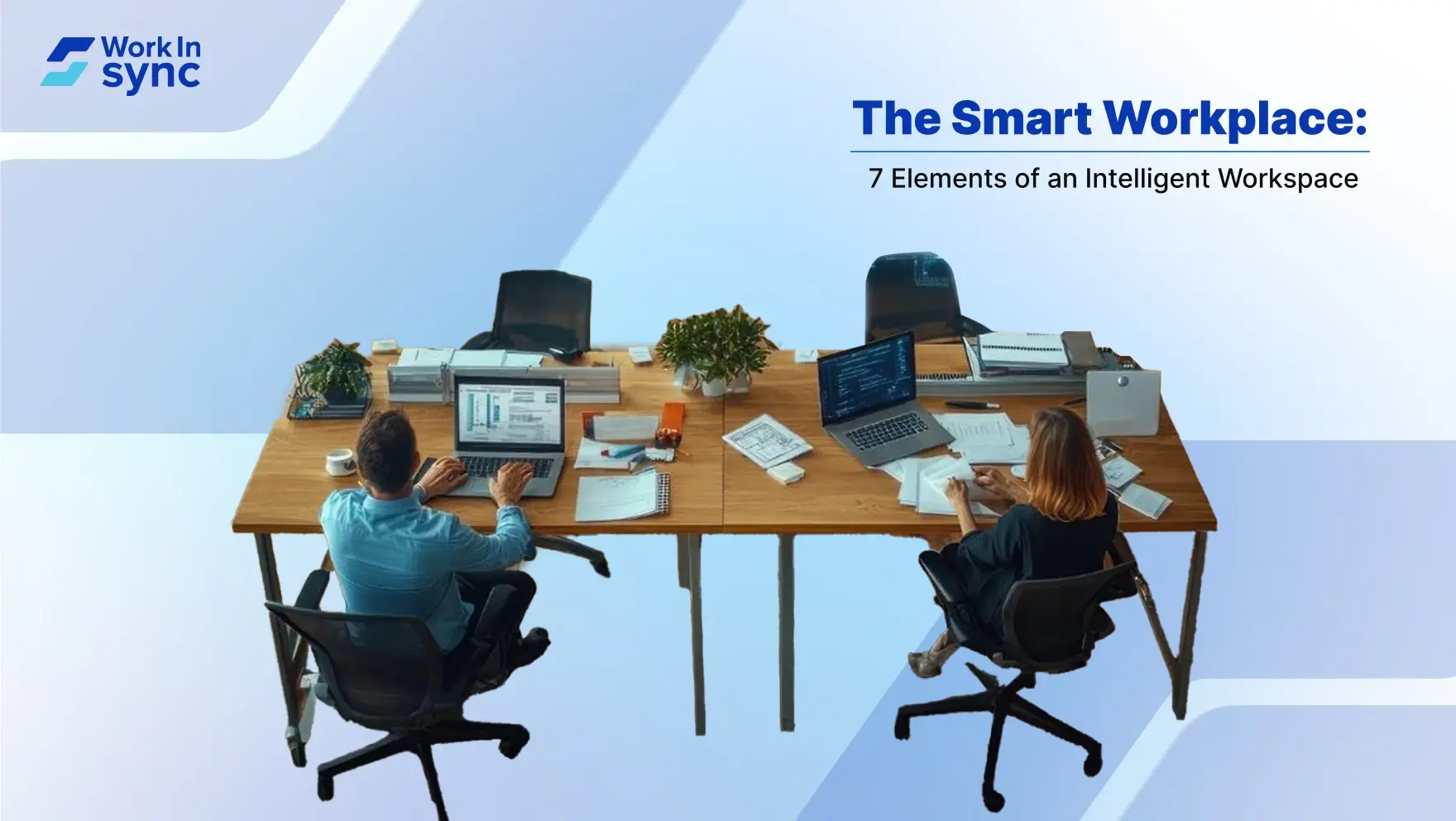
Key Takeaways
Smart workplaces combine tech, data, and design to support hybrid work, reduce friction, and improve employee experience.
IWMS platforms centralize workplace management by automating bookings, monitoring usage, and aligning spaces with real-time demand.
Smart sensors and touchless access systems enhance safety, energy efficiency, and hygiene through occupancy tracking and contactless entry.
Workplace analytics and utilization reports help identify underused spaces, improve layouts, and support data-driven decision-making.
AI-powered booking tools automate desk and room reservations, reducing no-shows and boosting space availability for teams.
Cloud-based collaboration and communication tools enable real-time teamwork, document sharing, and seamless hybrid coordination.
WorkInSync offers a comprehensive smart workplace solution, integrating desk booking, visitor tracking, scheduling, and occupancy data.
Successful smart workplaces prioritize adaptability, combining the right tools with human-first design and continuous optimization.
A smart workplace uses technology and thoughtful design to create a more efficient, connected environment that supports your daily work. Intelligent workplace solutions combine digital tools with human-centered strategies to boost productivity and improve the overall employee experience.
Smart office technology streamlines tasks and adapts to your needs, making hybrid workplace strategies more effective. By adopting these solutions, you enable seamless collaboration whether you’re in the office or working remotely, helping you stay focused and productive. Understanding how these elements work together is key to transforming how you work in today’s hybrid world.

A smart workplace integrates technology and data to create an efficient, flexible, and connected work environment. It adapts to different work styles, whether on-site, remote, or hybrid, to improve productivity and employee experience.
A modern intelligent workspace uses digital tools and real-time data to streamline how you interact with your environment. This includes automation, IoT devices, and AI-powered systems that manage space utilization and resource booking. These solutions reduce friction in daily activities.
Your workplace ecosystem becomes more responsive. It supports collaboration across locations and devices, facilitating seamless communication and task management. The environment adapts to individual needs, optimizing comfort and focus.
This workspace combines technology with a human-centric strategy, emphasizing ease of use and engagement. By leveraging smart office technology, you gain a flexible and efficient system designed around your workflow and well-being.

Smart workplaces address shifting work dynamics by enabling hybrid workplace strategies that balance remote and office work. They increase operational efficiency, reduce costs, and enhance employee well-being through data-driven insights.
You can expect improved space utilization, meaning less wasted office real estate and more effective meeting room management. Real-time analytics help predict maintenance needs and optimize energy consumption.
These intelligent solutions foster an employee-centric culture. With automation handling routine tasks, you focus on meaningful work. The integration of AI and technology creates a workplace that evolves with your organization’s needs.

Smart workplace solutions offer clear advantages that impact how you operate daily. They enhance how teams communicate and perform, allow precise adjustments based on data, and help lower costs while improving environmental impact.
By integrating digital tools like video conferencing and cloud platforms, you enable seamless communication regardless of location. This makes brainstorming sessions more effective and boosts team accountability because everyone can track contributions in real time.
Smart offices reduce time wasted on scheduling and resource booking. Automated systems optimize workspace usage, ensuring your team stays focused on tasks rather than logistics. This leads to measurable increases in productivity and better output quality.
You gain access to critical data-driven insights through smart sensors and software analytics. These tools monitor patterns such as meeting room usage, employee movement, and desk utilization, providing facts instead of assumptions for decision-making.
With detailed analytics, you can allocate resources more effectively and prioritize investments that improve operational costs. This precision helps avoid waste and ensures your workplace environment continually adapts to real needs.
Smart thermostat and lighting systems adjust energy consumption based on actual occupancy and time of day. This reduces utility expenses and lowers your carbon footprint without sacrificing comfort.
You can monitor energy use in real time, identifying inefficiencies immediately. These controls not only save costs but also support compliance with environmental regulations and corporate sustainability goals.

Integrated Workplace Management Systems (IWMS):
An IWMS acts as the central platform for managing your office’s resources and infrastructure. It consolidates data from multiple sources like space usage, maintenance, and real estate management, allowing you to make informed decisions quickly.
With IWMS, you can automate routine tasks such as booking conference rooms, scheduling cleaning services, or adjusting HVAC systems based on occupancy. This integration reduces manual errors and improves operational efficiency.
Moreover, IWMS, like WorkInSync, supports your hybrid workplace strategy by helping monitor and optimize workspace allocation based on real-time demand, saving costs and improving employee satisfaction.
Smart Sensors & IoT Devices:
Smart sensors and Internet of Things (IoT) devices gather critical data about your workplace environment. They monitor factors such as occupancy, lighting, temperature, and air quality to provide insights for optimizing comfort and resource use.
These devices allow you to automate adjustments like dimming lights when rooms are empty or adjusting temperature control to reduce energy waste. Sensors also contribute to health and safety by tracking ventilation and ensuring compliance with standards.
By leveraging smart technology embedded in furniture and infrastructure, you create a responsive space that adapts to actual usage patterns, improving both employee wellbeing and energy efficiency.
Touchless Entry and Smart Access Control:
Touchless entry uses smart access control systems like facial recognition, RFID badges, or mobile credentials to secure your workplace without physical contact. This technology enhances hygiene and reduces bottlenecks at entry points.
Smart access systems integrate with building security and visitor management tools, offering you detailed logs of who enters and exits the premises in real time. You can set up custom permissions based on roles, times, or locations to increase security.
Implementing these systems minimizes shared surfaces and manual handling while maintaining smooth access, critical for modern offices aiming for a safe and secure environment.
Workplace Analytics & Utilization Tracking:
Workplace analytics provide actionable insights through data collected from IoT devices and office systems. Tracking space utilization helps you understand which areas are overused or underutilized.
You can use this data to reshape your office layout, schedule cleaning or maintenance more effectively, and optimize desk or meeting room allocations. Utilization tracking also supports hybrid models by identifying peak usage times and occupancy trends.
Having clear, visual reports on your workspace helps you align resources with actual needs, boosting efficiency and employee experience through better space management.
AI-Powered Meeting Room & Desk Booking Systems:
AI-driven booking systems simplify how you reserve desks, meeting rooms, and shared spaces. They use real-time data and predictive analytics to suggest availability and optimize space allocation.
You get features like automatic cancellations for no-shows, smart recommendations based on preferences or team locations, and integration with calendar apps for seamless scheduling. This reduces conflicts and increases room usage rates.
By adopting these intelligent systems, you cut down on wasted space and improve employee satisfaction by ensuring they find spots that meet their preferences and needs.
Digital Signage and Interactive Communication Tools:

Digital signage uses screens to display real-time information such as room availability, event schedules, or wellness updates. This enhances communication throughout your office without needing to check multiple apps.
Interactive tools allow employees to engage with content, book spaces directly, or access company news instantly. These technologies facilitate better wayfinding and help manage visitor flows and health protocols.
You create a dynamic environment where communication stays clear, timely, and accessible, supporting collaboration and reducing friction in everyday operations.
Cloud-Based Collaboration & Communication Platforms:
Cloud solutions integrate various communication and collaboration tools like video conferencing, instant messaging, and document sharing into one accessible platform. This is essential for a hybrid workplace where employees work both remotely and on site.
These platforms connect your teams in real time, streamline workflows, and ensure everyone has access to necessary resources regardless of location. They also support automation by integrating with smart office technology.
Using cloud-based tools keeps your workforce connected, reduces email overload, and improves project management through centralized communication and resource sharing.
Smart workplaces integrate technology to improve employee productivity and streamline office management. You benefit from enhanced communication tools, automated systems, and adaptable work environments designed for both remote and on-site teams.
The global consulting firm faced multiple challenges when it came to managing their workplace. Their existing desk booking tool lacked the ability to generate insightful resource utilisation data, the meeting room occupancy exceeded the scheduled slots, and the visitor data lacked traceability and wasn’t compliant.
With the implementation of MoveInSyncʼs Workplace Solutions the clientʼs operations were transformed. It led to improved desk utilization, streamlined meeting room management, and enhanced visitor tracking. By enabling data-driven decisions, the solution helped the client to scale their employee base without significantly increasing their real estate across all their offices. Compliance was also strengthened with full traceability of visitor records.
Smart Cost Management
Reduced Meeting Room Conflicts
Smooth Digital Transformation
Enhanced Audit-Ready Compliance
Implementing smart workplace solutions requires clear planning, targeted actions, and selecting the right tools that support your hybrid work model. You will need a systematic approach to align technology with your workspace goals and employee needs.
Start by assessing your current workplace setup and identifying pain points in hybrid working and flexible work arrangements. Define clear objectives like improving space utilization, enhancing remote work connectivity, or boosting employee wellbeing.
Next, involve key stakeholders, including IT, facilities, and HR teams. This collaboration ensures your smart workplace covers all user needs and operational requirements.
Develop a phased rollout plan. Begin with pilot programs to test solutions like smart booking systems or occupancy sensors for your hybrid workplace. Collect feedback and adjust before scaling up.
Ensure training and support are available to help employees adapt to new technology and workflows. Tracking performance through data-driven insights will help you measure success and guide continuous improvements.
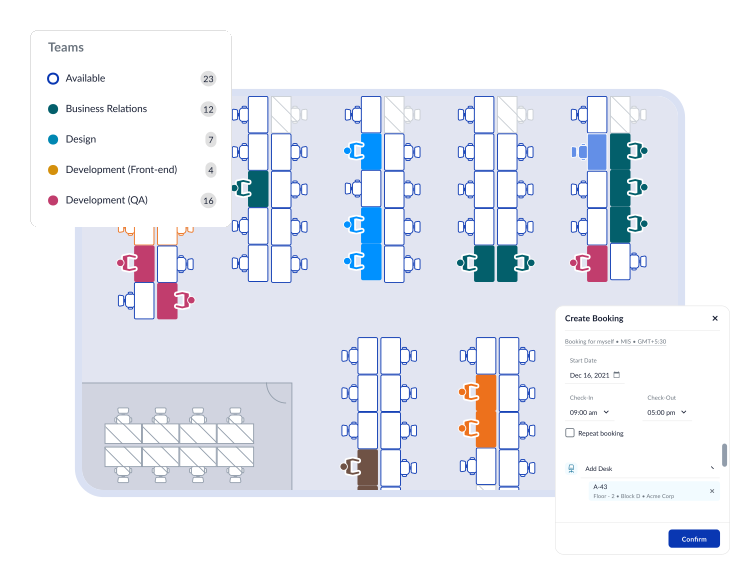
Choose tools that integrate well with your hybrid work strategy. Effective platforms should manage room bookings, desk assignments, and enable seamless remote collaboration.
WorkInSync is a comprehensive solution designed for hybrid workplaces. It offers smart desk and room booking, visitor management, and real-time occupancy data. This helps optimize office space and supports flexible work schedules.
Look for features such as mobile access, calendar integrations, and analytics dashboards. These enable you to monitor usage patterns and adjust resources dynamically. Other technologies to consider include IoT sensors for space utilization, AI-driven scheduling, and communication platforms that connect remote and on-site teams efficiently. Prioritize solutions that enhance productivity and simplify hybrid work management.
More on this can be found on the benefits of implementing smart workplace solutions.
You need to approach the workspace of the future by combining technology with flexibility. Smart office technology, like IoT devices and AI tools, helps create environments tailored to your team’s evolving needs. This improves productivity and collaboration while reducing wasted space.
A hybrid workplace strategy is essential. It allows you to support remote and in-office work effectively. You should implement solutions that enable seamless communication and resource sharing across locations.
Keep in mind, technology alone doesn’t guarantee success. You must focus on human-centric design, ensuring your workspace adapts to how people actually work. Integrating these factors helps you build a space that supports agility. You avoid the silent failure many face when investing only in technology but neglecting user experience.
Stay current with trends and tailor solutions to your organization’s culture. The smart workspace should evolve as your needs change, not remain static or purely tech-driven. Designing with adaptability and intelligence will serve your team now and in the future.
 Workplace Management
24 September 2026
Compare six workplace management platforms. See what each is suited for and how to choose the right fit in 2026.
Deesha
|
4 Min Read
Read More
 Announcement
13 August 2026
WorkInSync has been recognized by Info-Tech Research Group as a Champion in the 2026 Data Quadrant for Space Management, ranking #2, and as a Champion in the Emotional Footprint, ranking #2. Both awards are published on SoftwareReviews, Info-Tech's ratings platform, where rankings are built entirely from user feedback.

Sai Riddi
|
2 Min Read
Read More
 Desk Booking Software
5 June 2026
Let’s not pretend otherwise. Somewhere in your organization, a well-meaning IT or facilities team rolled out a desk booking system. There was a demo. Someone said “seamless.” There may have been a slide with the word “frictionless” on it. Leadership nodded. Procurement signed off. And then employees quietly went back to texting each other on […]

Ujjwal Trivedi
|
6 Min Read
Read More