
Meeting Room Management
What is Meeting Room Booking Software & How to Implement It?
Key Takeaways
Hybrid work has driven a 12.9% rise in meetings per person, making meeting room efficiency critical for collaboration.
Over 50% of employees cite meetings as their primary reason for returning to the office in hybrid setups.
Key challenges include double bookings, underutilized rooms, outdated tech, ghost meetings, and no real-time visibility into availability.
Ghost meetings can account for up to 30% of bookings, leading to wasted resources and significant financial losses.
Meeting room booking software offers centralized booking, real-time updates, conflict prevention, and better space utilization insights.
Notable features include contact-free booking, e-invites, guest pre-registration, automated check-ins, rescheduling tools, and post-meeting sanitization workflows.
Implementation begins with listing essential features, tracking capacity and usage patterns, and streamlining booking steps to reduce costs.
Employee adoption improves through timely training sessions, video tutorials, and clear rollout communication via email.
WorkInSync integrates with Slack and Google Calendar, provides analytics, supports mobile booking, and ensures contactless, safe meeting experiences.
Introduction
Workplaces have changed. Hybrid work has introduced a balanced office model where employees work from home on some days and from the office on others.
Since 2020, organizations worldwide have witnessed a 12.9% rise in meetings per person. Hence, in this era of hybrid workplaces, meetings are vital for brainstorming, decision-making, and collaboration.
According to a Gensler survey, more than 50% of respondents acknowledged that meetings are the primary reason for returning to offices. Today, with hybrid workplaces, meeting rooms will become a shared space for collaboration, engagement, and inclusion. Facility managers must optimize the meeting room management processes to build a valuable and safe collaborative space for all employees.
However, conducting outcome-oriented meetings while managing split teams can be a perplexing problem in a hybrid setup. Let’s look at some major road bumps that come with organizing meetings in hybrid workplaces. Let’s analyze whether innovative collaboration tools like meeting room booking software can help overcome them.
This blog aims to explain what a meeting room booking system is and how companies can deploy it.
Also Read: Why is a Meeting Room Booking Software Essential
Challenges Of Managing Meeting Rooms
Managing meeting rooms in modern workplaces presents several challenges that can hinder productivity and efficient space utilization. Here are five key challenges, supported by data:
#Scenario 1: Scheduling Conflicts and Double Bookings
Scheduling conflicts and double bookings are common issues that disrupt workflows and cause frustration. These occur when multiple users book the same room due to a lack of real-time updates or miscommunication. A survey by Steelcase revealed that 70% of employees experience meeting room booking issues, with double bookings and inadequate facilities being the top concerns.
#Scenario 2: Underutilization and Overbooking of Spaces
An imbalance in meeting room usage is common, with some rooms being overbooked while others remain underutilized. Studies show that 30-50% of meeting rooms remain underutilized, while others are overbooked. This imbalance leads to wasted resources and frustration among employees searching for available spaces.
#Scenario 3: Inadequate Technological Infrastructure
Outdated or incompatible technology in meeting rooms can derail even the most meticulously planned meetings. According to a CBRE report, 65% of employees face issues with outdated or incompatible technology in meeting rooms, causing delays and frustration
#Scenario 4: No-Shows and Ghost Meetings
Reserved meeting rooms that go unused due to no-shows or ghost meetings waste valuable resources. A recent study by Gartner revealed that up to 30% of meeting room bookings are ghost meetings. This underutilization of space translates into significant financial losses, with estimates suggesting that unused meeting rooms can cost organizations thousands of dollars annually.

Recommended Reading: 5 Effective Tips for Meeting Room Management
#Scenario 5: Lack of Visibility into Room Availability
Employees often waste time searching for available meeting spaces due to a lack of real-time visibility into room availability. This inefficiency can lead to delays and unproductive time, impacting overall workplace efficiency. An estimated 40% of employees waste up to 30 minutes daily looking for a place to meet, even as more than half of office space is empty.
What Is Meeting Room Booking Software?
Meeting room booking software is a pivotal tool in modern workplaces, streamlining the process of reserving and managing meeting spaces. By providing a centralized platform, it allows employees to view real-time availability, book rooms that suit their needs, and receive instant confirmations, thereby reducing scheduling conflicts and double bookings. This efficiency saves time and enhances productivity by ensuring that meetings commence promptly without the hassle of searching for available spaces.
Moreover, advanced features such as integration with calendar systems, automated reminders, and resource allocation (like projectors or conferencing equipment) further optimize the meeting experience. Implementing such software can lead to significant cost savings; for instance, organizations can reduce expenses associated with unused or underutilized spaces by up to 30%.
Additionally, the data analytics provided can offer insights into room usage patterns, facilitating informed decisions about space management and future workplace planning. In essence, meeting room booking software not only simplifies the logistical aspects of meetings but also contributes to a more organized, efficient, and collaborative work environment.
What can Meeting Room Booking Software do?
Real-Time Availability & Contact-Free Booking
Managers can sign in to a desktop or mobile app to check the availability of meeting rooms.
If a suitable room is available, they can make a contact-free online reservation, reducing scheduling conflicts.
E-Invites & Guest Pre-Registration
Users can send out meeting invites, specifying meeting purpose, seating capacity, and amenities.
Pre-register guests to grant them controlled access to the meeting room during a locked period.
E-invites can include safety prerequisites such as face mask compliance or other workplace policies.
Automated Check-In & Smart Room Management
Employees with invites can check in to the booked meeting room at the scheduled time.
If no one checks in, the software automatically cancels the meeting and returns the room to availability.
Rescheduling & Future Availability
Employees can reschedule meetings by selecting a new time and date based on the room’s availability.
Resource & Amenity Reservation
Users can reserve notepads, projectors, whiteboards, sanitizers, and more while booking the room.
Post-Meeting Sanitization & Safety
Once the session concludes, the system can initiate a sanitization process for a clean, safe workspace. Meeting room booking software enhances efficiency, eliminates conflicts, and ensures a seamless meeting experience.
Also Read: Top 5 Meeting Room Booking Software for IT Managers
How Can Companies Implement a Meeting Room Booking Software?
A successful hybrid work model is marked by three elements- collaboration, productivity, and space utilization. An advanced meeting room booking software rules out scheduling issues like false scarcity, ghost bookings, double-booked rooms, and phantom reservations. This, in turn, ensures top-notch collaboration, boosts productivity and provides an inside scoop into office space utilization.
So, let’s look at two ways organizations can deploy meeting room booking software.
#1 List the Features Required
a. Ability to tap into real-time, actionable datasheets with meeting room booking software
While meetings are monumental for collaboration, excess meetings can be a buzzkill. They can waste employee time and office resources. Facility managers should get the complete picture of space utilization management in office premises with meeting room booking software.
The right software will offer real-time data. This way, team leaders will know the attendees, availability, and sanitization workflow. An interactive, scalable meeting room booking software will provide in-depth insights into the booking patterns, cancellation frequency, and room. This will help facility managers better understand and plan their office space.
b. Ability to track employee movement and meeting room capacity with meeting room booking software
Another crucial factor is understanding how many employees use which conference rooms and how often. With this feature, meeting room booking software can help facility managers conveniently decide on the seating capacity of each room.
For instance, if employees reserve entire meeting rooms to work alone, organizations can create more hot desks to free these spaces. Companies can use meeting room booking software insights to understand how their conference rooms are operated.
c. Ability to minimize booking steps and costs with hassle-free meeting room booking software
On average, most employees participate in 62 meetings monthly. 40% of employees dissipate up to 30 minutes daily scouting for a meeting room. Unproductive meetings cost $1,800 in excess email communication.
While meetings are valuable, misallocating office resources and employees’ time can chalk up massive expenses. This means HR managers must cut down costs by eliminating unnecessary booking steps.
With meeting room booking software, reserving rooms and scheduling meetings should be a piece of cake. The software must automatically notify attendees about the location, health safety prerequisites, and time. Employees will no longer jump through hoops to book a meeting room and focus on work instead by reducing steps.
This way, the right meeting room booking software will save companies vast amounts of time and resources, especially in hybrid setups. Another must-have in hybrid workplaces is contactless meeting room booking software. The aim is to help employees select a meeting room from multiple locations using laptops or mobile devices.
Bonus Read: Meeting Room Booking Software Needs These Features
#2 Plan Timely Training Sessions and Schedule the Rollout

Getting employees up and running with a new meeting room booking software can be done in several ways. Facility managers can either opt for face-to-face/Zoom training sessions or video tutorials and email.
a. Face-to-face or video call sessions
Before installing a conference room scheduling software, it’s best if facility managers can acquaint the workers with the new system. Managers can answer crucial questions associated with rollout plans, software features, etc.
b. Video tutorials
Employees might be working in different time zones. They might have busy schedules with no common time slot available. Facility managers can pre-record onboarding training materials and share video tutorials along with training documents with employees.
This way, workers can have a visual look at how to use the cloud-based meeting room booking software. Since they’ll watch the tutorial at their convenience, there will be no disruption to the team’s schedule.
c. Emails
After employees are familiarized with the conference room scheduling software, HR managers can share emails outlining the rollout plan with a timeline.
WorkInSync: A Leading Meeting Room Booking Software
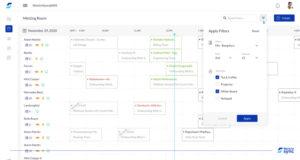
WorkInSync stands out as a premier meeting room booking software, offering a comprehensive suite of features designed to enhance workplace efficiency and collaboration. Its seamless integration with platforms like Slack and Google Calendar simplifies the booking process, reducing scheduling conflicts and ensuring smooth coordination among team members.
The user-friendly interface allows employees to reserve meeting rooms effortlessly, with options to specify requirements such as seating capacity and necessary amenities. Additionally, WorkInSync provides real-time analytics on room utilization, enabling organizations to optimize their workspace effectively. The software’s mobile accessibility ensures that reservations and adjustments can be made on-the-go, catering to the dynamic needs of modern workplaces.
Furthermore, features like contactless check-ins and automated sanitization workflows underscore its commitment to safety and hygiene, crucial in today’s work environment. By addressing common challenges such as double bookings and underutilized spaces, WorkInSync streamlines operations but also fosters a more organized and productive work atmosphere. Its robust functionality and intuitive design make it an indispensable tool for organizations aiming to manage their meeting spaces efficiently.
Summing Up
Meeting room booking software can transform how organizations collaborate, use office space, and ensure employee safety and productivity for the better.
Streamline meetings and pave the way for a safe, flexible, and seamless workplace experience with WorkInSync’s meeting room booking software. Comfortably integrate with Google Calendar and Outlook Calendar, save time and resources.
Subscribe to our blogs and get the latest updates on meeting room booking software.







Download Our App



 MoveInSync 2026, All rights reserved