
 Workplace Management
24 September 2026
Best Workplace Management Software in 2026: 6 Tools Compared
Compare six workplace management platforms. See what each is suited for and how to choose the right fit in 2026.

Deesha
|
4 Min Read
Read More

Key Takeaways
Smooth hybrid transitions require clear communication, role allocation, and the right workplace management software.
Seamless integration with critical existing tools like calendars, collaboration apps, and visitor systems is essential.
Quick implementation saves time and ensures hybrid workplace adoption without disrupting ongoing business operations.
Strong security safeguards sensitive employee, productivity, and operational data stored in workplace management systems.
Scalable, modular solutions allow future feature additions and workforce growth without repeated software overhauls.
Reliable vendor support ensures issues are resolved quickly, minimizing downtime and workplace disruption.
Mobile app versions simplify desk, room, and commute bookings while empowering facility managers remotely.
Updated visitor management features capture vaccination, temperature, and compliance details for safer office entry.
Centralized dashboards and robust reporting deliver real-time insights on space utilization and employee workspace behavior.
A hybrid workplace software is essential for the smooth functioning of a hybrid work model. This blog lists out several features to guide IT managers to invest in the right hybrid workplace solution.
If managing the transition to work-from-home was difficult, return-to-office will be an IT challenge like no other. It is now clear that a hybrid workplace is the future of work. A hybrid workplace software can make life easy for the IT Manager. However, you need to pick the right one with all the necessary features.
We have put together a comprehensive checklist so you do not miss any of the must-haves in the software. Hope it helps.
Before we get to the list, let us quickly walk you through the fundamentals critical for the success of your hybrid office.

If you are moving from a remote work model to a hybrid workplace, three things can make or break your transition:
1. Knowing what jobs you can move to hybrid
2. Open and free-flowing lines of communication with both on-site and remote employees
3. Picking the right combination of hybrid workplace software and collaboration tools
As you may understand, a hybrid workplace is not just about technology, it is about people. So, you need to pay equal attention to the softer aspects of the transition. However, here we focus only on the technological aspects of it. More specifically, the hybrid workplace software.
Bonus Read: How to Make Hybrid Workplaces Fair for All?
As the IT manager, you must shortlist, purchase and implement the best hybrid workplace software. Where do you start?
Here are ten things that will help you get started.
All businesses use some tool that finds company-wide applications. It could be a calendar to book meetings, online collaboration tools like Slack or Microsoft Teams, or a visitor management system. You could be using a few or many tools depending on your business needs.
The hybrid workplace software you choose must seamlessly integrate with your current tools. If not all, you should be able to integrate it with the most critical ones.
With most organizations resuming work from the office, the implementation time could be a deciding factor. Ideally, you would want a hybrid workplace software that can get up and running in the shortest possible time. However, it also depends on the depth of integration you need with your existing tools.
A hybrid workplace software will, in some ways, evolve to be the nerve center of your day-to-day operations. It will carry a significant amount of data, including but not limited to employee details, productivity, and more. Therefore, you would want it to have top-notch security features.

Hybrid workplace software is a long-term investment. You would not want to go out shopping every time a new feature is required, more employees join, or a facility gets added. Hence, choose a system that is flexible and scalable.
Going in for a modular solution will help you address your changing needs over the foreseeable future. With a modular solution, you can add more features as and when you need them. Coming from the same vendor, these modular solutions are easy to integrate. More importantly, it serves both time and effort.
Even if you find the right product with all features you require, it might not suffice. Without adequate vendor support, both implementation and maintenance are a challenge.
Unlike other applications, a hybrid workplace software forms the foundation of your office operations. If it breaks or fails, you will need a vendor that fixes it quickly. So, make sure your vendor has adequate resources to help you at any time of the day.
A hybrid workplace software also must have an app version for multiple reasons. It would make planning office visits, booking desks, meeting rooms, and even commutes much easier for employees. Secondly, the facility managers can manage space even when away from their desks.
If you find one that is also easy to use, it would be icing on the cake.
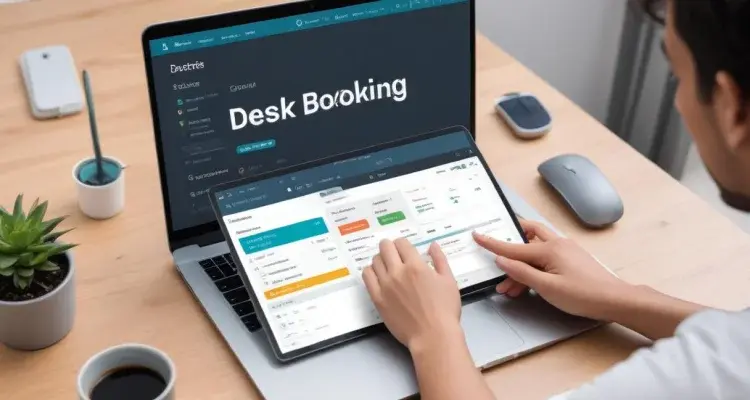
If you are moving to a flexible work model, hoteling or hot-desking would be the way forward. The hybrid workplace software you choose must support both hot desking and hoteling. It must also recommend and allow users to book meeting rooms based on their needs – number of participants, type of meeting, equipment required, and others.
Considering you have a visitor management system, it might not serve the requirements of the post-COVID world. For example, along with the name and purpose of the visit, you would also want to know the body temperature, vaccination status, and if the visitor is masked-up.
Older systems may not be able to capture so many details. Hence, you must choose a hybrid workplace software that comes or works with the latest visitor management systems.
Also Read: 9 Essential Features of a Visitor Management Software
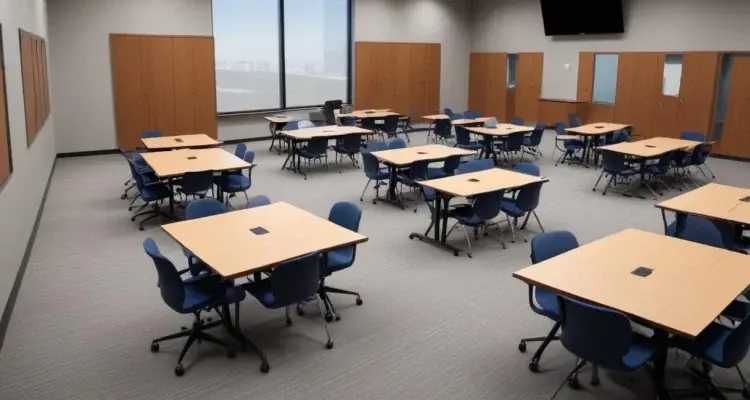
Social distancing is one of the primary reasons why offices are opting for a hybrid workplace and not running at full strength. If your hybrid workplace management tool does not facilitate social distancing, it serves little purpose.
Therefore, pick a hybrid workforce software with sensors that help maintain distance between seats, detect air quality and the number of people on the floor. You could also control the number of people by capping the visits or desk bookings for any given time.
Lastly, the ideal hybrid workplace software helps you collect and analyze data about your office real estate and productivity, among other things. While all applications claim to have these capabilities, their strengths and depth of analysis vary. Make sure you evaluate these based on your current and future needs.
Hybrid workplace software is now a ubiquitous tool across all businesses and organizations. The increased demand has spawned many solutions. Admittedly, it is easy to get overwhelmed with the choice available in the market today. We hope this checklist helps you pick the best one.
Stay tuned to the WorkinSync blog to know more about hybrid workplace and tools that make it successful.
 Workplace Management
24 September 2026
Compare six workplace management platforms. See what each is suited for and how to choose the right fit in 2026.
Deesha
|
4 Min Read
Read More
 Announcement
13 August 2026
WorkInSync has been recognized by Info-Tech Research Group as a Champion in the 2026 Data Quadrant for Space Management, ranking #2, and as a Champion in the Emotional Footprint, ranking #2. Both awards are published on SoftwareReviews, Info-Tech's ratings platform, where rankings are built entirely from user feedback.

Sai Riddi
|
2 Min Read
Read More
 Desk Booking Software
5 June 2026
Let’s not pretend otherwise. Somewhere in your organization, a well-meaning IT or facilities team rolled out a desk booking system. There was a demo. Someone said “seamless.” There may have been a slide with the word “frictionless” on it. Leadership nodded. Procurement signed off. And then employees quietly went back to texting each other on […]

Ujjwal Trivedi
|
6 Min Read
Read More